
Odoo Salesforce integration connects Salesforce CRM with Odoo ERP so customer, opportunity, product, sales, order, invoice, and fulfillment data can move between the two systems automatically. The integration can use a maintained connector, middleware, or Salesforce APIs, depending on which system owns each object, transaction volume, and how quickly updates need to move.
The difficult part is not moving a Contact from one database to another. Salesforce and Odoo can both hold customer and sales information, so every shared object needs an agreed master before synchronization begins. We design that ownership and handoff as a US-based Odoo integration partner.
Why Your Business Needs Odoo Salesforce Integration
Salesforce can run your CRM and sales pipeline while Odoo manages the operational work that follows the sale. If you are still deciding where CRM should live, our Odoo vs Salesforce comparison covers that broader decision. When both systems remain, the integration has to decide where a record starts, when it crosses over, and which system may change it afterward.
The Same Customer Exists in Two Systems
A salesperson creates an Account and Contact in Salesforce while finance or operations creates the same company in Odoo. Differences in spelling, email, company structure, or address can produce duplicate records unless the integration carries a stable cross-reference between the Salesforce record and its Odoo counterpart.
Sales Re-Keys the Deal After It Closes
An Opportunity reaches the agreed stage in Salesforce and someone recreates the customer, products, quantities, price, and commercial terms in Odoo Sales. The integration should hand the approved deal into Odoo instead of asking another employee to interpret and type it again.
Your Connector Setup May Assume a Legacy Connected App
Salesforce restricted creation of new Connected Apps beginning with Spring ’26 and recommends External Client Apps for new integrations. Existing Connected Apps continue to work, so established integrations do not need replacement solely because of the change. New connector deployments should have their authentication method checked before configuration.
Salesforce Stops at the Sale While the Order Keeps Moving
A closed Opportunity does not tell the salesperson whether an order was released, delivered, invoiced, or paid. Without selected operational updates returning from Odoo, sales checks another system or asks operations for information Odoo already holds.
Key Benefits of Odoo Salesforce Integration
A useful Salesforce-to-Odoo architecture does not make every field bi-directional. It gives each shared object a master, defines the event that hands work to the other system, and returns only the information the receiving team needs.
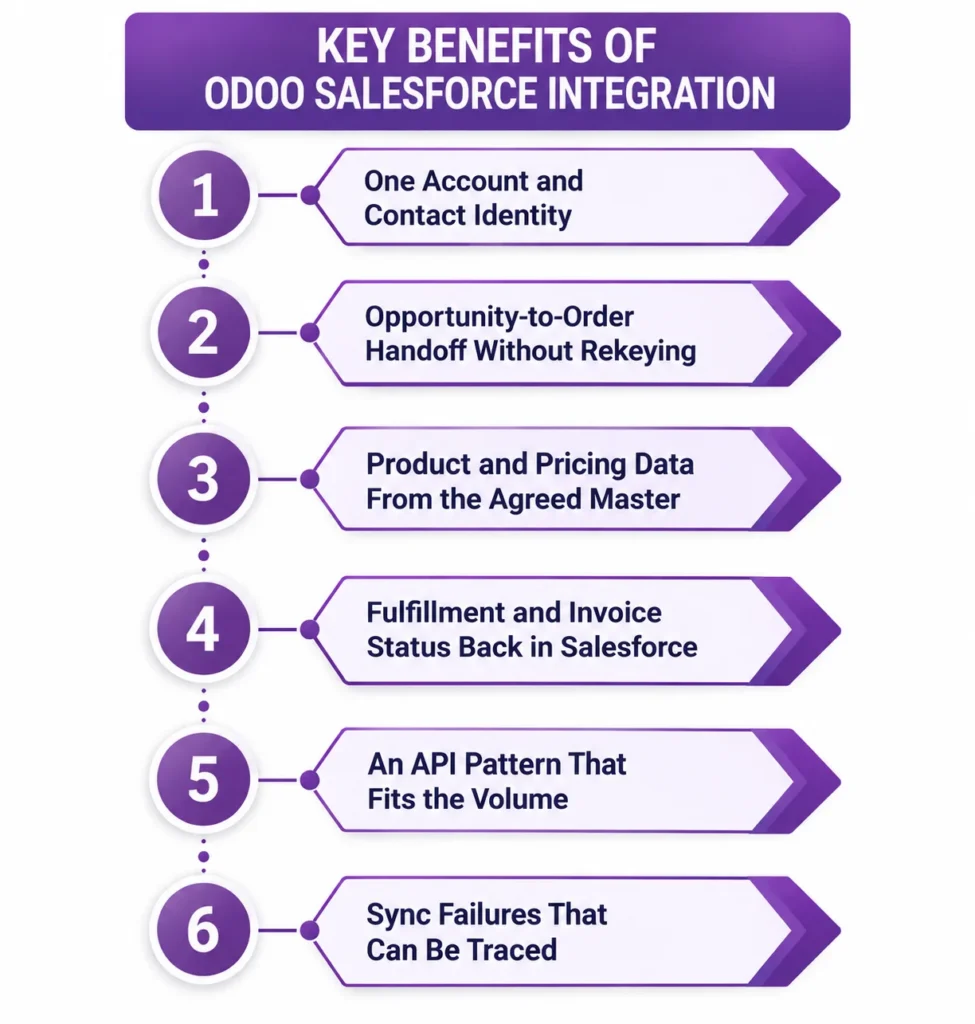
One Account and Contact Identity
Accounts and Contacts carry a Salesforce identifier, Odoo identifier, or another agreed external key so later updates match the existing record instead of creating another one. Matching rules are defined before the initial synchronization, especially where duplicate customer records already exist.
Opportunity-to-Order Handoff Without Rekeying
An agreed Salesforce stage can trigger the ERP handoff. Customer details, approved products, quantities, commercial references, and required order fields move into Odoo, where the workflow continues through inventory, delivery, invoicing, and accounting.
Product and Pricing Data From the Agreed Master
Products exist in both systems for different reasons. Salesforce needs commercial information for selling, while Odoo may control inventory, purchasing, costing, and operational attributes. We decide which fields may move between them so a CRM edit does not overwrite ERP-controlled product data.
Fulfillment and Invoice Status Back in Salesforce
Once Odoo owns the confirmed order, selected milestones can return to Salesforce. Delivery status from Odoo Inventory and invoice or payment status from Odoo Accounting give the account team post-sale visibility without duplicating the operational workflow.
An API Pattern That Fits the Volume
Salesforce REST APIs fit normal record-level operations, while Bulk API 2.0 is designed for larger asynchronous workloads. The integration method should follow transaction volume, update frequency, and latency requirements rather than polling every object through the same API pattern.
Sync Failures That Can Be Traced
Record mappings, source identifiers, timestamps, errors, and retries should remain visible to the team supporting the integration. A failed Opportunity handoff should become an identifiable exception, not disappear until somebody notices that Salesforce shows a closed deal and Odoo has no order.
What Odoo Salesforce Integration Automates
Salesforce integration scope starts with ownership. A record can move in one direction, return selected status fields, or remain read-only in the receiving system. Direction should be settled object by object rather than labeling the entire connection bi-directional.
| Data object | Direction | Trigger |
| Accounts | Master direction agreed | On creation or approved change |
| Contacts | Master direction agreed | On creation or approved change |
| Leads | Salesforce to Odoo if included | On qualification or agreed handoff |
| Opportunities | Salesforce to Odoo | At the agreed handoff stage |
| Products | Master direction agreed | On approved product change |
| Quotations | Direction agreed by sales process | On quote creation or revision |
| Confirmed sales orders | Into Odoo, with selected data returned | On order confirmation |
| Fulfillment status | Odoo to Salesforce | On delivery milestone |
| Invoice and payment status | Odoo to Salesforce | On posting or payment |
| Custom fields and objects | Direction defined in mapping | On agreed event or schedule |
Complex account hierarchies, Salesforce custom objects, custom Odoo models, CPQ structures, several price books, product bundles, multi-company mappings, historical migrations, and fields that represent different business concepts can require custom Odoo development. API access alone does not decide how those records should map.
How We Integrate Salesforce With Odoo
Most scope is settled before synchronization starts. Ten shared objects with clear ownership can be simpler than three objects that both systems are allowed to edit. We define the operating model first, then choose an integration route that fits the objects, customizations, transaction volume, and latency requirement.
We Audit Your Salesforce and Odoo Setup
We review Salesforce edition and org structure, Accounts, Contacts, Leads, Opportunities, custom fields and objects, existing Connected Apps or External Client Apps, API usage, Odoo companies, CRM and Sales configuration, products, pricing, order workflow, and duplicate records. That discovery sits within our Odoo consulting work because ownership is a business-process decision before it becomes an API mapping.
We Recommend a Route
| Route | Suits | Timeline |
| Maintained Odoo-Salesforce connector | Standard objects and mappings covered by a compatible module | Confirmed after connector and version audit |
| Workflow middleware | A small number of clearly defined events and field mappings | Confirmed after workflow mapping |
| Integration platform | Multiple objects needing transformations, retries, queues, and monitoring | Confirmed after architecture review |
| Direct Salesforce API build | Custom objects, complex ownership, higher volume, or client-specific logic | Confirmed after API and scope review |
Salesforce exposes REST, Bulk API 2.0, and event-driven patterns for different workloads. The selected architecture also needs to account for the Salesforce org’s API allocation and how frequently data moves between systems.
We Map Ownership, IDs, and Handoff Rules
We decide which system owns every Account, Contact, Product, Opportunity, Quote, and order-related field. Stable cross-references prevent records from being recreated on each sync. We also define what happens when both systems changed a shared field and which source wins.
We Test Against Real Sales Scenarios
Testing covers a new Account and Contact, an existing customer that must match rather than duplicate, an Opportunity crossing the handoff stage, a product changed outside its master system, an amended order, fulfillment and invoice updates returning to Salesforce, a failed transaction and retry, and a larger record set where volume changes the API approach.
We Cut Over and Monitor
We move the integration into production with existing cross-references loaded, scheduled jobs or event subscriptions enabled, and failures visible for review. After launch, ongoing Odoo support can cover authentication changes, mapping updates, API consumption, failed transactions, new Salesforce fields, and Odoo workflow changes.
Odoo Salesforce Integration Services From Adatasol
A connector license is only one part of the cost. Running two customer databases that disagree about who the customer is, what was sold, or whether the order was delivered creates an operational problem the connector itself does not solve. The integration should make the CRM-to-ERP boundary clearer.
You Get a US-Based Odoo Certified Ready Partner
Adatasol works from Willoughby, Ohio on US business hours. We treat Salesforce integration as part of the sales, order, inventory, and accounting workflow rather than a standalone data-transfer project. If the approved design needs additional technical capacity, we can provide an Odoo developer alongside the project.
We Have Been Doing ERP for 20+ Years
CRM data becomes operational ERP data when a deal turns into something your business has to supply, deliver, invoice, and account for. Our ERP delivery experience includes more than 20 years of ERP work and a longer software-development history, which matters when two established systems need a durable ownership model.
We Tell You If a Connector Is Enough
If a maintained connector already supports your objects, authentication method, field mappings, and volume, we can work with that route instead of replacing it with custom code. Direct development is justified when the requirements exceed what the connector can represent or control.
We Fix Salesforce Syncs That Are Already Broken
If Accounts duplicate, Opportunities never become orders, product updates overwrite the wrong fields, or a scheduler stops processing records, the engagement may begin as integration rescue. We trace identifiers, mappings, authentication, failures, and ownership rules before recommending another connector or rebuild.
Book a free integration assessment and we will review your Salesforce objects, your CRM-to-ERP handoff, and your Odoo sales workflow, then tell you which integration route fits.
Odoo Salesforce Integration FAQs
Does Odoo integrate with Salesforce?
Yes. Odoo and Salesforce can exchange CRM, sales, order, invoice, and fulfillment data through a compatible connector, middleware, or direct API integration. The design should define which system owns each shared object before synchronization begins.
How should Salesforce and Odoo divide the data?
Salesforce can own Leads and Opportunities while Odoo owns confirmed orders, inventory, delivery, invoicing, and accounting. Accounts, Contacts, Products, and Quotes should have an agreed master based on your actual sales process.
Can Salesforce Opportunities create Odoo sales orders?
Yes. An agreed Opportunity stage can trigger a handoff into Odoo with the customer, products, quantities, references, and approved commercial fields. Whether Odoo creates a quotation or confirmed order depends on your approval workflow.
How do you prevent duplicate Accounts and Contacts?
Use stable cross-system identifiers and matching rules. Existing customers should be matched before new records are created, with clear handling for differences in names, email addresses, company structures, and other fields used to identify the same customer.
Do new Salesforce integrations need an External Client App?
Salesforce recommends External Client Apps for new integrations after restricting new Connected App creation in Spring ’26. Existing Connected Apps continue to work, so established integrations do not need replacement solely because of the change.
Can Odoo integrate with Salesforce custom objects?
Yes, where the selected architecture exposes them. Each custom object and field still needs an Odoo destination, ownership rule, transformation if required, and defined behavior for updates, validation errors, and records that cannot be matched.
Can multiple Salesforce orgs connect to one Odoo database?
Multiple orgs can connect through separate integrations with their own authentication, identifiers, company or business-unit mappings, and ownership rules. Whether a marketplace connector supports that architecture should be confirmed before it is selected.
Which Odoo hosting options support Salesforce integration?
Odoo Online does not support non-standard Python modules. Third-party or custom Salesforce modules therefore generally require Odoo.sh or self-hosted Odoo. Connector compatibility should also be confirmed for your version during the wider Odoo implementation.















