
Odoo RingCentral integration connects your RingCentral phone system to Odoo ERP so contacts, click-to-dial, inbound call notifications, call logs, recordings, and SMS move between the two systems automatically. It runs through a prebuilt connector, middleware, or a custom build on the RingCentral platform, depending on your call volume and what a call has to trigger in Odoo.
Your team lives in Odoo and dials in RingCentral. Numbers get copied across, the customer record is opened by hand while the phone rings, and what was agreed is remembered rather than recorded. We connect the two as a US-based Odoo integration partner.
Why Your Business Needs Odoo RingCentral Integration
RingCentral carries the call. It handles routing, extensions, voicemail, recording, and your numbers. It does not know which customer you were speaking to, which quote the call was about, or what to do next. Odoo has its own VoIP module for teams still choosing a phone system, so start with the telephony options. If RingCentral is already in place, the gap is everything after hangup.
Half Your Calls Attach to Nothing
RingCentral sends numbers in full international format. Odoo holds whatever each person typed, with dashes, extensions, and missing country codes. When the formats disagree the match fails silently, the notification shows an unknown caller, the log attaches to no record in Odoo CRM, and nobody reports it because nothing visibly broke.
Calls Get Logged Twice, or Not at All
A rep finishes a call, switches to Odoo, finds the lead, and types what happened. Under pressure that step gets skipped. Your pipeline then looks quiet while the phone system shows four hundred calls, and neither number tells your sales manager anything.
A Screen Pop Is Not a Record
A popup on an incoming call tells you who is calling and then disappears when the call ends. Nothing is scheduled, no stage moves, and the outcome exists only in whatever the rep types later. Calling from inside Odoo is the easy half. Making the call change something is the half that pays.
Billable Call Time Never Reaches an Invoice
Support and professional services teams spend hours a day on calls that belong to a client, ticket, or project. Without duration reaching Odoo Accounting through a timesheet, that time is reconstructed from memory at month end, and reconstructed time is always billed low.
Key Benefits of Odoo RingCentral Integration
Connected properly, RingCentral stays the phone system and Odoo becomes the record of what was said and what happens next. Calls attach to customers as they ring, outcomes are captured while the rep is still on the line, and the follow-up is created before the call ends.
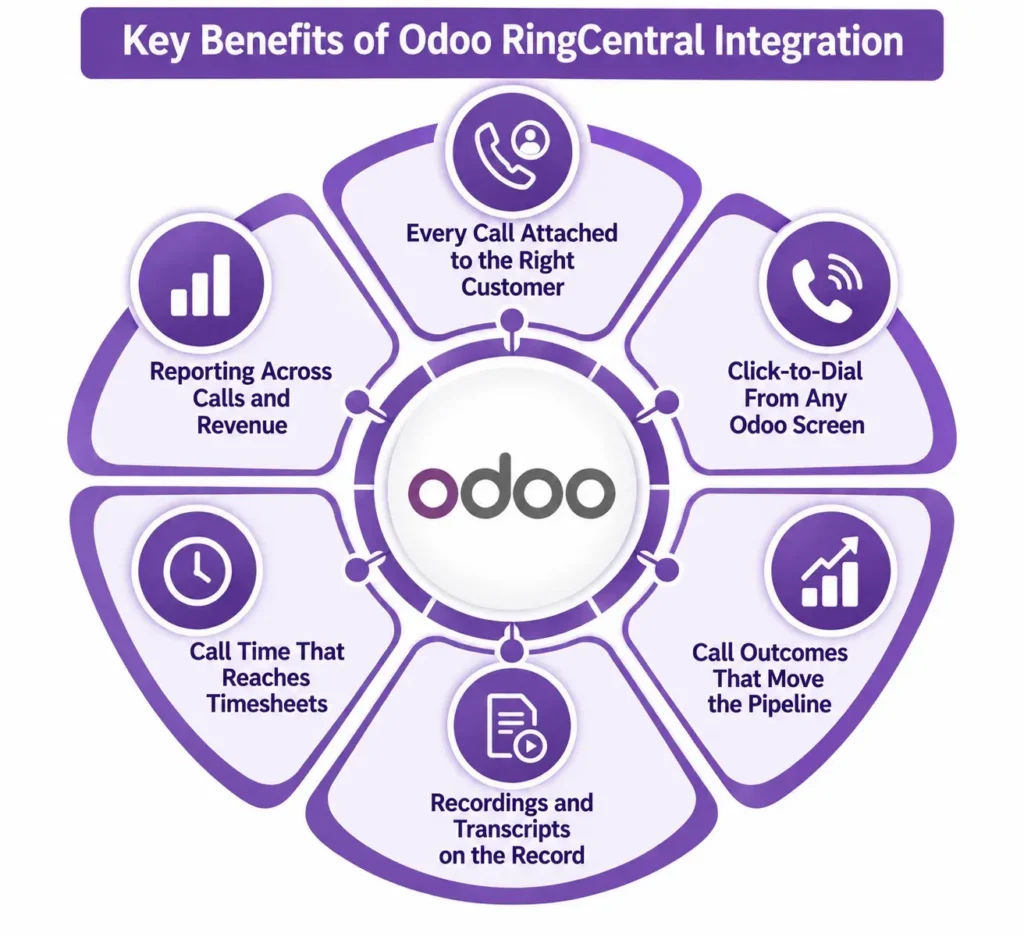
Every Call Attached to the Right Customer
Numbers are normalized on both sides so calls match a contact, lead, or ticket on the first attempt. Unmatched numbers create a lead rather than disappearing, so a first-time caller becomes a record.
Click-to-Dial From Any Odoo Screen
Reps dial from the contact, quotation, or helpdesk ticket they are already looking at. No copying numbers, no misdials, and the call is attached to the record it started from before it connects.
Call Outcomes That Move the Pipeline
The rep picks an outcome on hangup and Odoo does the rest: log the activity, schedule the callback, advance the stage, or create the quotation in Odoo Sales. The next action exists before the handset is down.
Recordings and Transcripts on the Record
Recordings, transcripts, and AI call summaries attach to the Odoo record rather than sitting in a separate portal. Anyone picking the account up later sees what was agreed without asking who took the call.
Call Time That Reaches Timesheets
Duration posts against the ticket, task, or project the call belonged to in Odoo Project. Billable phone time gets billed, and utilization reporting stops depending on people remembering to log it later.
Reporting Across Calls and Revenue
Call volume, connect rates, and talk time sit next to pipeline and revenue in one set of reports. Questions about which activity produces deals get answered without exporting from two systems and matching names.
What Odoo RingCentral Integration Automates
Telephony integrations are judged on what happens after the call, not during it. Dialing and popping a screen are the easy parts. Have the direction and the trigger written down for each object before you agree a price, and check that recordings, outcomes, and duration are on the list.
| Data object | Direction | Trigger |
| Contacts and leads | Both, one master agreed | On create and on change |
| Click-to-dial | Odoo to RingCentral | On phone number click |
| Inbound call notification | RingCentral to Odoo | Webhook while ringing |
| Call logs | RingCentral to Odoo | On call end, matched on number |
| Call outcome and notes | Entered in Odoo | On hangup |
| Call recordings | RingCentral to Odoo | On availability, as link or file |
| Transcripts and AI summaries | RingCentral to Odoo | When RingCentral publishes them |
| SMS messages | Both | On send and on receive |
| Voicemail | RingCentral to Odoo | On new message |
| Missed calls | RingCentral to Odoo | Creates an activity or a lead |
Some requirements need rules written for your business whichever route you take. Contact center queue routing, recording consent in two-party states, retention and storage limits, extension mapping across sites, SMS opt-out handling, and duration posting to billable timesheets sit outside standard connector behavior. They are solvable through custom development, and the ones nobody raised in your quote are the ones you meet after go-live.
How We Integrate RingCentral With Odoo
Most of your cost is settled in the first two steps, before anyone writes code. Click-to-dial with call logging is configuration. Routing inbound calls to the right team, posting duration to billable timesheets, and running it across three sites is a build. We establish which one you need before quoting.
We Audit Your RingCentral and Odoo Setup
Your RingCentral plan and API access level, extension and user structure, call volume, sites, which Odoo modules your team calls from, the state of your number data, recording obligations, and your Odoo version and hosting. This is the front end of every Odoo consulting engagement we run, and it decides your route.
We Recommend a Route
| Route | Suits | Timeline |
| Prebuilt connector from the Apps Store | One account, click-to-dial and call logging | 1 to 3 weeks |
| Connector plus configuration and number cleanup | Most US sales and support teams | 3 to 6 weeks |
| Middleware such as Zapier, Make, or Workato | A few events, low call volume, no screen pop | 2 to 4 weeks |
| Custom build on the RingCentral platform | Contact center routing, helpdesk, billable time, multi-site | 8 to 14 weeks |
We Normalize and Map Your Numbers
Every number in Odoo converted to one format, extensions separated from main lines, duplicates merged, and RingCentral users mapped to Odoo users. This is where telephony integrations fail quietly, because an unmatched call throws no error. It logs against nobody, and a month later half your call history is orphaned.
We Test Against Real Calls
An inbound call from a known contact, one from an unknown number, an outbound click-to-dial, a transfer, a missed call, a recording, and an SMS thread. RingCentral apps run under scoped OAuth credentials and per-app rate limits, and a sandbox app must be graduated to production before it carries live traffic, so that approval sits on your go-live path.
We Cut Over and Monitor
One team goes live first, with alerting on failed webhooks and unmatched calls, and match rates reviewed for the first few weeks. After that you have ongoing support, because RingCentral versions its API and your extension list changes with every hire.
Odoo RingCentral Integration Services From Adatasol
A connector license costs a few hundred dollars. What costs more is a year of call history attached to nothing, because the number formats never matched and nobody watched the match rate. That data cannot be reconstructed afterward.
You Get a US-Based Odoo Certified Ready Partner
We work from Willoughby, Ohio, on US business hours, under the same call recording and consent rules you operate under. The same team runs discovery, build, testing, and support. If you need capacity beyond the project, we can place an Odoo developer alongside your team.
We Have Been Doing ERP for 20+ Years
A telephony integration is a data matching problem with a phone attached. Two decades of ERP delivery is what tells us where a call belongs and which records it should be allowed to create. Most of our client work is manufacturing, distribution, and professional services.
We Tell You If a Connector Is Enough
If an Apps Store module covers what you need, we say so and configure it properly. We quote a build when routing, helpdesk workflow, or billable time require one, and we classify every requirement before you agree scope.
We Fix Syncs That Are Already Broken
If calls log against the wrong contact, the popup shows unknown callers, or recordings never arrive, that is integration rescue rather than another build. We audit what you have before recommending you replace it.
Book a free integration assessment and we will review your RingCentral setup, your call volume, and your Odoo modules, then tell you which route fits.
Odoo RingCentral Integration FAQs
Does Odoo integrate with RingCentral?
Yes. Apps Store connectors cover click-to-dial, inbound notifications, call logging, recordings, and SMS, and RingCentral lists Odoo in its own app directory. Routing, helpdesk workflow, and billable time need a build on the RingCentral platform.
How do I integrate Odoo with RingCentral?
Create an application in the RingCentral Developer Portal, select the OAuth scopes the connector needs, install the module, and enter your client ID and secret. Then normalize your numbers and map RingCentral users to Odoo users, which is where the time goes.
Odoo has a VoIP module, so do I need this?
Odoo’s VoIP module works with SIP providers and suits teams choosing a phone system from scratch. If RingCentral already carries your numbers and routing, integrating it is cheaper than moving your telephony.
Can I record calls and store them in Odoo?
Yes, as a link back to RingCentral or a file on the record. Storing audio in Odoo grows your database quickly, so most teams link instead. Consent rules vary by state, so agree retention before go-live.
How much does Odoo RingCentral integration cost?
A connector with proper configuration is the cheapest route. Routing, helpdesk workflow, and billable time push it up considerably. Cost tracks how many Odoo modules the phone touches and how much of your number data needs cleaning.
How long does it take?
One to three weeks for a connector with click-to-dial and logging. Three to six weeks with configuration and number cleanup, which covers most sales and support teams. Eight to fourteen weeks for builds involving routing, multiple sites, or timesheets.
Can I connect multiple RingCentral accounts to one Odoo database?
Yes. Several accounts, sites, or country numbers map into one database with users and companies assigned per account. Decide it at the start, because retrofitting a second account means rebuilding the extension mapping.
Which Odoo versions and hosting are supported?
Connectors cover Odoo 16 through 19 on Odoo Online, Odoo.sh, and self-hosted, though custom modules need Odoo.sh or self-hosted. Because calling touches CRM, Helpdesk, and timesheets, settle it alongside your wider Odoo implementation.















