
Odoo VoIP integration connects a SIP-based phone system or a cloud telephony provider to Odoo so your team dials from inside a record, inbound calls identify the caller, and every conversation logs against the correct lead, customer, or ticket. Odoo does not host telephony itself. It connects to an external PBX or provider, and which one you choose decides what the integration can do.
The reason this matters is not convenience. It is that call activity is the most valuable data your sales and service teams generate and the least likely to be recorded. A rep makes forty calls, logs six, and your pipeline reporting is built on the six. We connect the phone system to the record as a US-based Odoo integration partner.
Why Your Phone System Needs Odoo Integration
Odoo ships a phone widget that dials and logs. It is not a phone system, and treating it as one is where most projects go wrong. Four things surface once a team of any size starts calling.
Odoo Does Not Host Your Telephony
The Odoo widget needs a SIP account from an external PBX such as Asterisk or FreePBX, or from a cloud provider. Odoo handles the interface and the record keeping. Call quality, routing, numbers, and uptime all belong to whatever sits behind it, and choosing that platform is a separate decision from choosing Odoo.
Nobody Logs the Call Afterwards
Logging a call means opening the record, finding the activity, typing a summary, and setting the next step. Under pressure it does not happen. Your Odoo CRM then shows a pipeline where half the contact history is missing and forecasts rest on whatever was convenient to record.
Your Team Works From Two Screens
Reps keep a softphone open beside Odoo, copy numbers across, and look up who is calling while the phone is still ringing. The delay is small and constant. Across a team it is hours a week, and it produces exactly the gaps in history that make handovers difficult.
Call Recording Rules Vary by State
Recording is straightforward in one-party consent states and requires all parties to agree in others, including California, Florida, and Pennsylvania. If your team calls across state lines, your recording configuration, announcements, and retention policy all have to account for that. A provider switched on by default will not do it for you.
Key Benefits of Odoo VoIP Integration
Connected properly, the phone becomes part of the record rather than a separate tool beside it. Calls start from Odoo, arrive with context, and finish as data your managers can report on.
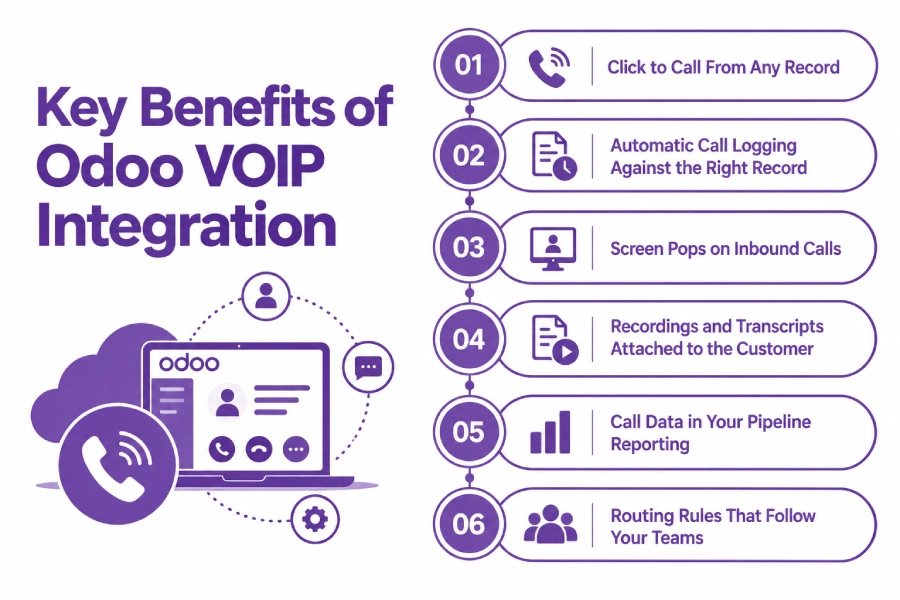
Click to Call From Any Record
Reps dial from the lead, the opportunity, the customer, or the helpdesk ticket they are already looking at. No copying numbers, no misdials, and the call is associated with the right record before it connects.
Automatic Call Logging Against the Right Record
Every call creates an activity or log entry on the correct document with duration, direction, and outcome, whether or not the rep remembers. Contact history becomes complete, which matters most when someone leaves and their accounts move.
Screen Pops on Inbound Calls
An incoming number is matched against your contacts and the record opens before the call is answered. The person picking up already knows who is calling, what they bought, and what is open on their account.
Recordings and Transcripts Attached to the Customer
Where your provider supports it, the recording or transcript links to the call log rather than sitting in a separate portal. Disputes, handovers, and coaching all reference the same place, subject to the consent and retention rules you have configured.
Call Data in Your Pipeline Reporting
Call volume, connection rate, duration, and outcome sit alongside deal stages in Odoo reporting. Managers see activity and results in one view instead of exporting from the phone platform and matching by rep name.
Routing Rules That Follow Your Teams
Inbound calls route by product, region, account owner, or open ticket using the data Odoo already holds. Assignment logic changes when your teams change, not when a phone administrator gets around to it.
What Odoo VoIP Integration Automates
Click to call is one event. Your quote should say what happens with the other nine.
| Event | Direction | Trigger |
| Outbound call initiation | Odoo to provider | Click to call from a record |
| Caller identification | Provider to Odoo | On inbound ring, matched on number |
| Screen pop | Provider to Odoo | On inbound ring |
| Call log and activity | Provider to Odoo | On call end |
| Call outcome and disposition | Both | On wrap-up |
| Recording or transcript link | Provider to Odoo | On availability |
| Voicemail notification | Provider to Odoo | On message left |
| SMS messages | Both | On send or receive |
| Missed and abandoned calls | Provider to Odoo | On event, creates follow-up |
| Queue and agent statistics | Provider to Odoo | Scheduled |
Some requirements need work beyond a connector whichever provider you pick. Predictive and power dialing against Odoo lists, IVR menus that read live Odoo data, wallboards for supervisors, call scoring, softphone use through a VPN or restricted network, and number porting timed around a go-live all sit outside standard behaviour. They are solvable through custom development or by choosing a provider that already covers them, which is a decision worth making before you sign a telephony contract.
How We Integrate VoIP With Odoo
Your cost depends far more on the phone platform than on Odoo. A provider with a maintained Odoo connector is a short project. An on-premise Asterisk installation with custom dial plans is not, and we establish which you have before quoting.
We Audit Your Phone System and Odoo Setup
Your current PBX or provider, contract term, number inventory, users and concurrent call volume, inbound routing rules, recording and retention requirements, the states you call into, and your Odoo version and hosting. This is the front end of every Odoo consulting engagement we run.
We Recommend a Route
| Route | Suits | Timeline |
| Odoo Phone widget with a SIP trunk | Small teams, basic dialing and logging, existing SIP provider | 1 to 3 weeks |
| Provider connector such as RingCentral, Aircall, or Ringover | Sales and service teams wanting recording, analytics, and transcription | 3 to 6 weeks |
| Asterisk or FreePBX integration | On-premise PBX already in place, custom dial plans | 5 to 10 weeks |
| Custom API integration to a contact centre platform | Queues, dialers, wallboards, IVR reading Odoo data | 8 to 16 weeks |
We Map Calls to Records
Number matching rules, what happens when a number matches several contacts or none, which record type takes the log, how outcomes are captured, and where recordings live. Get this wrong and calls log against the wrong customer or against nothing, which is worse than not logging them at all.
We Test Against Real Calls
Inbound with a known number, inbound from an unknown number, outbound from each record type, a transfer, a conference, a missed call, and a call handled by a queue. We test with the actual handsets and softphones your team uses, since browser permissions and network configuration break more of these projects than the integration does.
We Cut Over and Monitor
Phased rollout by team, number porting scheduled around it where relevant, logging verified against live calls, and alerting on failed events. After that you have ongoing support, because telephony providers change APIs and your Odoo upgrades have to keep pace with them.
Odoo VoIP Integration Services From Adatasol
Telephony vendors will each tell you their platform integrates with Odoo. What none of them will tell you is which one suits your team size, your call volume, and the states you dial into. We are not reselling a phone system, so we can be straight about that.
You Get a US-Based Odoo Certified Ready Partner
We work from Willoughby, Ohio, on US business hours, in the same regulatory environment as your calling. The same team runs your design, build, testing, and support.
We Have Been Doing ERP for 20+ Years
Call data is only useful if it lands on the right record and reaches your reporting. Two decades of ERP delivery is what tells us where an activity belongs and how it should surface in a manager’s view.
We Tell You If the Native Widget Is Enough
A small team with an existing SIP provider often needs configuration rather than a project. We say so, configure it, and stop. Provider connectors and custom work get quoted when call volume, routing, or compliance genuinely require them.
We Fix Telephony Integrations That Are Already Broken
If calls log against the wrong contacts, recordings are missing, or the softphone stopped working after an upgrade, that is integration rescue. We audit the configuration and the call data already recorded before recommending a rebuild.
Book a free integration assessment and we will review your phone system, your call volumes, and your Odoo setup, then tell you which route fits.
Odoo VoIP Integration FAQs
Does Odoo have a VoIP or phone system?
Odoo provides a softphone widget that dials, receives, and logs calls inside the interface. It does not host telephony. You supply a SIP account from a PBX or cloud provider, and that platform handles call routing, numbers, and quality while Odoo handles the record keeping.
Which VoIP providers integrate with Odoo?
Any SIP-compatible platform can drive the native widget, including Asterisk, FreePBX, and most hosted SIP providers. Platforms such as RingCentral, Aircall, Ringover, CloudTalk, and OnSIP offer their own connectors with recording, analytics, and transcription beyond what the widget supports.
Do I need Asterisk to use VoIP in Odoo?
No. Asterisk is one option and suits companies wanting an on-premise PBX with custom dial plans. A hosted SIP trunk or a cloud provider avoids running that infrastructure yourself, which is the right answer for most mid-market teams without a phone administrator.
Can Odoo record calls, and is that legal?
Recording is handled by your phone platform, not by Odoo, and the link is stored against the call log. Legality depends on consent rules in the states you call into, since some require all parties to agree. Configuration, announcements, and retention need to reflect where your customers are.
Does it work with Odoo CRM and Helpdesk?
Yes. Calls log as activities against leads, opportunities, contacts, and helpdesk tickets, and inbound calls open the matching record. Which record type receives the log for a given number is a mapping decision we agree during design rather than a default.
How much does Odoo VoIP integration cost?
Configuring the native widget against an existing SIP account is the cheapest route. Provider connectors with recording and analytics cost more, and contact centre features such as dialers, IVR reading Odoo data, and wallboards cost considerably more. Telephony subscription costs sit alongside this and are usually the larger number.
How long does it take?
One to three weeks to configure the native widget with an existing SIP provider. Three to six weeks for a provider connector across a sales or service team. Five to sixteen weeks where an on-premise PBX, custom routing, or contact centre functionality is involved.
Which Odoo versions and hosting are supported?
The VoIP module was renamed Odoo Phone in version 19, and the underlying SIP approach is unchanged from earlier releases. It works on Odoo Online, Odoo.sh, and self-hosted, though custom provider modules need Odoo.sh or self-hosted, which is worth settling alongside your wider Odoo implementation.















