
Odoo bank integration connects your bank and credit card accounts to Odoo ERP so transactions, balances, and statement lines import automatically and reconcile against invoices, bills, and payments. It runs through native bank synchronization, a scheduled file import, or a custom aggregator build, depending on your edition, your bank, and how many accounts you run.
If your bookkeeper starts the week logging into three bank portals and downloading CSVs, the cost is not the download. It is the days between a payment arriving and anyone knowing about it, and the collections calls made to customers who already paid. We fix that as a US-based Odoo integration partner.
Why Your Business Needs Odoo Bank Integration
Your bank knows what moved. Odoo knows what was owed. Neither knows which invoice a deposit paid unless something tells it. Payment gateways are a separate question with their own fees and payout cycles, so start there with gateway integration. Bank integration is about the account itself.
Nobody Knows the Cash Position Until Friday
Statements get downloaded weekly, so your cash position in Odoo Accounting sits a few days behind the bank. Purchasing decisions get made against a number that was true on Monday. When cash is tight, that gap decides whether you can pay a supplier at all.
Every Statement Line Is Matched by Hand
Someone opens the statement next to the open invoice list and works down it. Three hundred lines a month is a day of work, and it is the task most likely to be rushed at month end. A rushed match posts a receipt against the wrong account, where nobody finds it for a quarter.
The Feed Connects, Then Quietly Stops
Bank connections run through third-party providers and break for ordinary reasons. Your bank refreshes credentials, an MFA challenge times out, or a certificate lapses. Odoo keeps working and transactions simply stop arriving. Teams find out weeks later, and history can usually only be fetched back a few months.
Unmatched Lines Pile Up in Suspense
Anything the rules cannot match goes to suspense. Left alone it grows: refunds, transfers between your own accounts, fees, and payments made under a different name. Your balance sheet carries a number nobody can explain and the close takes longer every month.
Key Benefits of Odoo Bank Integration
Connected properly, transactions arrive daily, and most of them match themselves. Your team reviews exceptions rather than working every line, and the balance in Odoo is the one your bank shows.
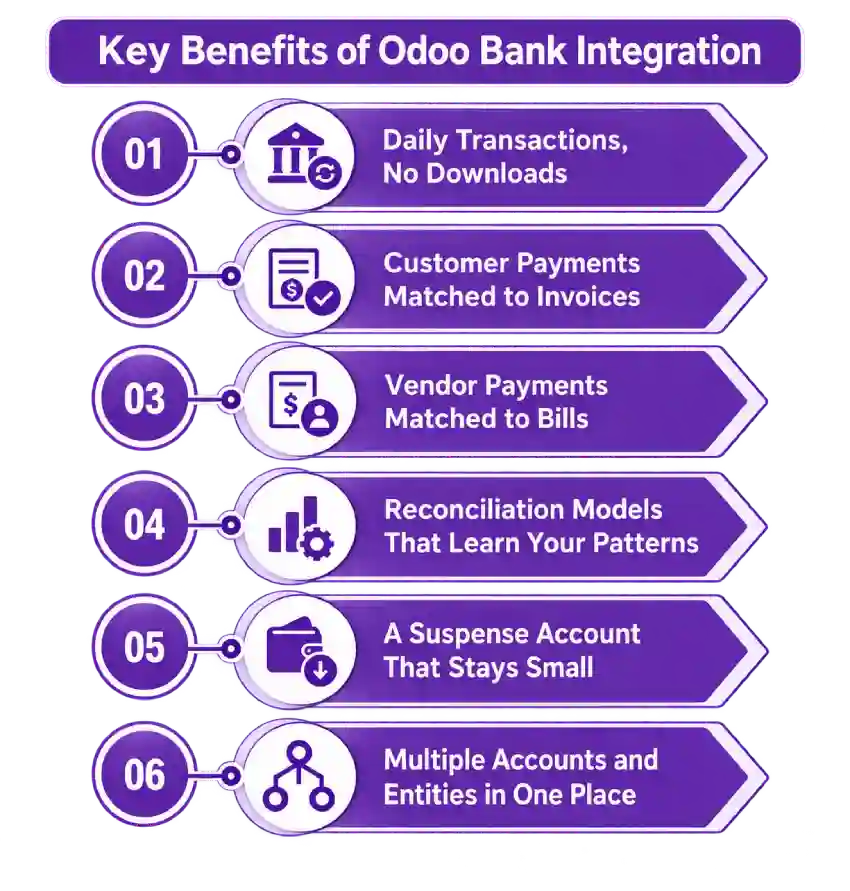
Daily Transactions, No Downloads
Bank and credit card transactions import on a schedule, with balances updated on every sync. A payment that landed this morning is visible to whoever decides this afternoon whether to release an order.
Customer Payments Matched to Invoices
Deposits match open invoices in Odoo Sales on amount, reference, partner, and date. Paid invoices close themselves, receivables stay accurate, and your collections list stops including people who paid last week.
Vendor Payments Matched to Bills
Outgoing payments match open bills in Odoo Purchase the same way, including partial payments and batch runs. What you owe is visible without cross-checking the payment file against the statement.
Reconciliation Models That Learn Your Patterns
Recurring lines get rules: fees to their expense account, the monthly lease to its supplier, internal transfers matched on both sides so they never double count. The rules handle the repetition and your team handles what is left.
A Suspense Account That Stays Small
Unmatched lines are held for review rather than absorbed, with an owner and a deadline. The number stays small enough to explain, and it becomes a work queue instead of a balance nobody wants to open.
Multiple Accounts and Entities in One Place
Operating accounts, payroll accounts, credit cards, and separate legal entities feed one database with their own journals. Group cash position is a report rather than a spreadsheet rebuilt each Monday.
What Odoo Bank Integration Automates
Two things get confused on a bank project: importing the transactions and matching them. Importing is close to free. Matching is where the work and the value sit, and it depends on rules written against how your customers actually pay. Have both parts priced separately.
| Data object | Direction | Trigger |
| Bank transactions | Bank to Odoo | Daily sync or manual fetch |
| Account balances | Bank to Odoo | With every sync |
| Credit card transactions | Bank to Odoo | Daily sync, per card account |
| Customer receipts | Matched in Odoo | On statement line, against open invoices |
| Vendor payments | Matched in Odoo | On statement line, against open bills |
| Bank fees and charges | Matched in Odoo | By reconciliation model |
| Internal transfers | Matched in Odoo | On both sides, deduplicated |
| Recurring payments | Matched in Odoo | By reconciliation model |
| Unmatched lines | Held in Odoo | To suspense, for review |
| Foreign currency lines | Bank to Odoo | With the rate at statement date |
Some requirements need rules written for your business whichever route you take. Lockbox and BAI2 files, payments arriving under a parent company name, consolidated payments across many invoices, cash discounts taken at payment, intercompany transfers, and card feeds split by cardholder sit outside default matching. They are solvable through custom development, and the ones nobody raised in your quote are the ones you meet at your first close.
How We Integrate Your Bank With Odoo
Most of your cost is settled in the first two steps, before anyone writes code. One checking account on a supported US bank with clean invoice references is a short job. Nine accounts across three entities, a lockbox file, and customers who pay in batches without remittance detail is a build. We establish which you have before quoting.
We Audit Your Banking and Odoo Setup
Which banks and accounts you hold, whether Odoo’s providers support them, statement volume, your edition, how your customers reference payments, your chart of accounts, and any existing suspense balance. This is the front end of every Odoo consulting engagement we run, and it decides your route.
We Recommend a Route
| Route | Suits | Timeline |
| Native Odoo bank synchronization | Enterprise, supported US bank, standard matching | 1 to 2 weeks |
| Native sync plus reconciliation models | Most US businesses, high statement volume | 3 to 6 weeks |
| Scheduled file import, OFX, CAMT.053, or CSV | Unsupported banks, Community edition, treasury exports | 2 to 5 weeks |
| Custom aggregator or API build | Many accounts, multiple entities, lockbox or BAI2 | 8 to 14 weeks |
We Design the Matching Rules
Which fields to match on and in what order, what reconciles automatically and what always stops for review, and where fees, rounding, and short payments post. Loose rules are worse than none: a wrong match throws no error, it closes the wrong invoice and sends a statement to a customer who is now overpaid.
We Test Against Real Statements
A month of real transactions end to end: a clean receipt, a partial payment, a batch covering six invoices, a returned payment, a bank fee, an internal transfer, and a foreign currency line. We verify your opening balance against the bank too, because a cutover balance entered wrong becomes permanent drift that no transaction explains.
We Cut Over and Monitor
One account goes live first, with alerting when a feed stops delivering rather than when someone notices. Match rates and the suspense balance get reviewed through the first close. After that you have ongoing support, because credentials expire and providers change without asking.
Odoo Bank Integration Services From Adatasol
A bank feed is cheap to switch on and expensive to get wrong. Six months of receipts matched to the wrong invoices leaves your receivables, your revenue, and your customer statements wrong together, and fixing that is a reconstruction rather than a correction.
You Get a US-Based Odoo Certified Ready Partner
We work from Willoughby, Ohio, on US business hours, with US banks and the reporting your accountant expects. The same team runs discovery, build, testing, and support. If you need capacity beyond the project, we can place an Odoo developer alongside your team.
We Have Been Doing ERP for 20+ Years
Bank integration is a matching problem sitting on your ledger. Two decades of ERP delivery is what tells us which lines should never post automatically and how to unwind a suspense balance without touching a closed period. Most of our client work is manufacturing, distribution, and professional services.
We Tell You What Your Edition Can Actually Do
Native bank synchronization is an Enterprise feature and Community needs a different approach. We check that against your Odoo licensing before quoting, so nobody scopes a feed your subscription does not include.
We Fix Reconciliation That Is Already Broken
If your feed has stopped, suspense has grown for a year, or your Odoo balance has drifted from the bank by an amount nobody can find, that is integration rescue rather than a new build. We trace the difference before recommending a rebuild.
Book a free integration assessment and we will review your bank accounts, your statement volume, and your Odoo setup, then tell you which route fits.
Odoo Bank Integration FAQs
Does Odoo integrate with my bank?
Most likely. Odoo connects to tens of thousands of institutions through third-party providers, with Plaid covering the US and Canada. Coverage varies, some banks sit in beta without support, and where no connection exists a scheduled file import does the same job.
How do I connect my bank to Odoo?
Set the bank journal to online synchronization, choose your institution, authorize the connection, and assign each account its own journal. Transactions then import on a schedule. Matching rules come next, and that is the actual project.
Does bank synchronization work on Odoo Community?
No. Native online synchronization requires an Enterprise subscription, and the reconciliation widget was removed from Community in recent versions. Community users import statement files on a schedule, optionally with OCA modules, which works but needs configuring rather than switching on.
Why did my bank feed stop importing?
Usually credentials. Banks refresh them, MFA challenges expire, certificates rotate, and none of it raises an error in your daily work. Reconnect, then check for missing transactions, since history can generally only be fetched a few months back.
How much does Odoo bank integration cost?
Switching on native synchronization is close to free if your bank is supported and you hold Enterprise. Reconciliation models, multiple entities, and lockbox files cost more. Cost tracks statement volume and how predictable your customers’ references are.
How long does it take?
One to two weeks for a single supported account on native sync. Three to six weeks with reconciliation models, which covers most US businesses. Eight to fourteen weeks for builds involving many accounts, several entities, or commercial banking files.
Can I connect multiple bank accounts and entities to one Odoo database?
Yes. Each account gets its own journal and separate legal entities get their own companies. Set the company structure up first, because moving accounts between companies after transactions post means reversing and reposting them.
Which Odoo versions and hosting are supported?
Bank synchronization runs on Odoo 16 through 19 on Odoo Online, Odoo.sh, and self-hosted with a valid Enterprise subscription. Custom modules need Odoo.sh or self-hosted. Because it touches your chart of accounts, settle it alongside your wider Odoo implementation.















