
Odoo API integration connects Odoo to external applications, databases, and services through XML-RPC, JSON-RPC, the native REST endpoints, or automation webhooks. You use it when no licensed connector exists for the system you need, or when one exists but cannot express your business rules. The protocol you choose determines your throughput, your authentication model, and how much maintenance you inherit.
If you are here, you have probably already looked for a connector and found nothing that fits. Your system might be a proprietary WMS, a state licensing portal, a broker feed, or an internal tool somebody built a decade ago. That is normal work for us as a US-based Odoo integration partner, and it is different from building new features inside Odoo, which is custom development.
Why Your Systems Need Odoo API Integration
Odoo exposes almost every model and method it has to external callers. The problem is rarely whether the data can move. It is whether it moves reliably, at volume, without someone watching it. Four things go wrong.
Your Data Only Moves When Someone Exports It
A scheduled CSV out of Odoo and into another system is an integration in the same way a fax is a message. It works, it is slow, and it fails silently the week the person who runs it is on holiday. Anything downstream is always working from yesterday.
No Connector Exists for the System You Actually Use
Marketplace connectors cover the popular platforms. They do not cover your industry portal, your carrier’s proprietary feed, your customer’s ordering system, or the database your operations team has depended on since before Odoo existed. Those need a purpose-built bridge.
Polling Is Slowing Your Odoo Instance Down
Odoo had no outbound webhooks until recent versions, so most integrations poll for changes on a timer. Poll too often on a busy database and you consume workers that your users need. Poll too rarely and the data is stale. Getting this balance wrong is the most common cause of an Odoo instance that feels slow for no visible reason.
Nobody Owns the Integration After It Ships
A contractor writes a script, it works, and then Odoo upgrades or a token expires. Without logging, alerting, and documented field mappings, the first sign of failure is a customer asking where their order went.
Key Benefits of Odoo API Integration
A custom API integration is built around your data model rather than a vendor’s assumption of it. You decide which records move, in which direction, on what trigger, and what happens when something fails.
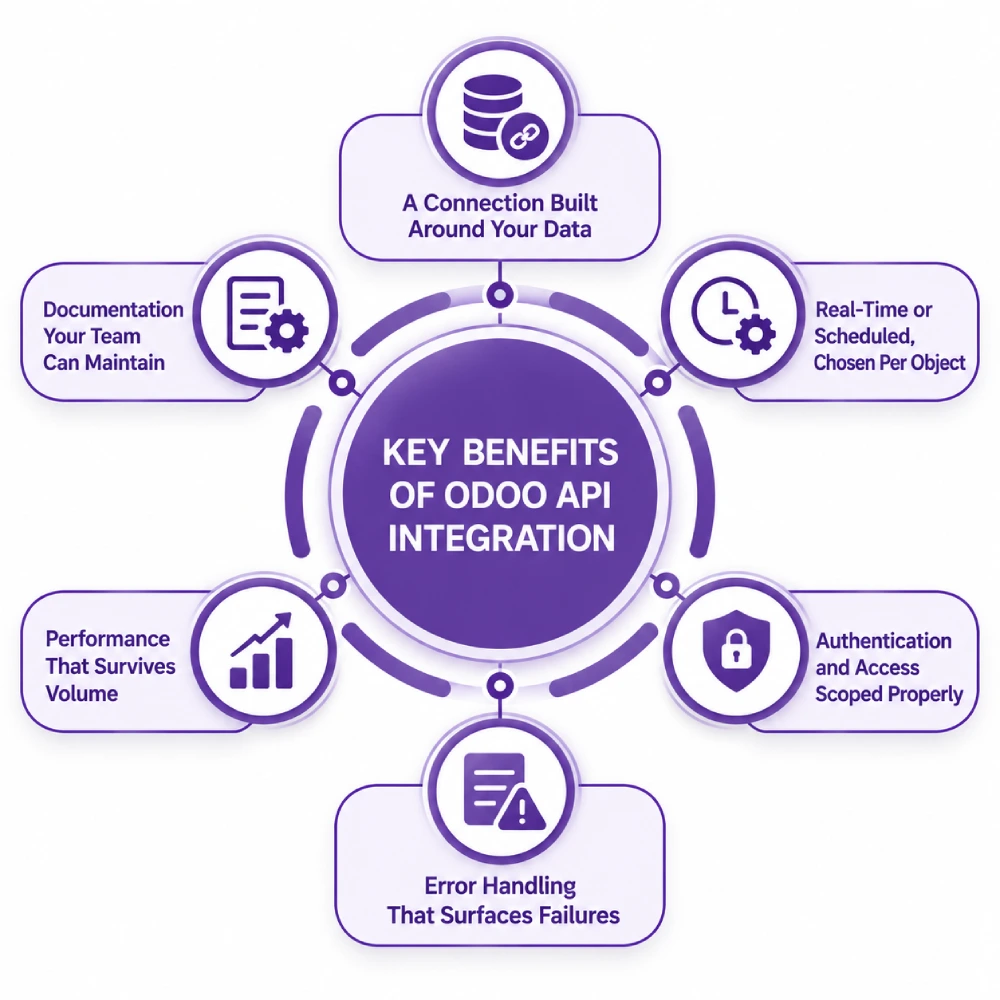
A Connection Built Around Your Data
Custom fields, non-standard workflows, multi-company structures, and approval chains are handled as designed rather than worked around. The integration matches how your business actually records things instead of forcing you to change your process to suit a connector.
Real-Time or Scheduled, Chosen Per Object
Stock levels might need pushing the moment they change while invoices batch overnight. Each object gets the trigger that suits its volume and urgency, rather than everything running on one schedule because that is what the connector allowed.
Authentication and Access Scoped Properly
API keys, OAuth flows, and dedicated integration users with restricted record rules mean the external system reads and writes only what it should. Credentials are rotated and stored properly rather than sitting in a config file with an admin password in it.
Error Handling That Surfaces Failures
Failed calls are retried, logged with enough context to diagnose, and escalated to a person when retries are exhausted. A transaction that cannot post raises an alert rather than disappearing, which is the single biggest difference between a script and an integration.
Performance That Survives Volume
Batched calls, pagination, sensible domains, and indexed search fields keep the integration from competing with your users for workers. Load is tested against realistic volume before go-live rather than discovered during your busiest week.
Documentation Your Team Can Maintain
Field mappings, endpoints, authentication, retry logic, and known limitations are written down. Your internal developers or your next partner can pick it up without reverse-engineering someone else’s code.
Odoo API Options and When to Use Each
Choosing the protocol is the first technical decision and the one most often made by default rather than on merit.
| Method | Endpoint | Authentication | Suits |
| XML-RPC | /xmlrpc/2/common and /xmlrpc/2/object | User plus API key | Broad language support, legacy systems, well-documented |
| JSON-RPC | /jsonrpc | User plus API key | Most production integrations, lighter payloads than XML |
| Native REST | Model endpoints, version dependent | API key or OAuth | Simple reads on newer versions, coverage still incomplete |
| Automation webhooks | Outbound to your endpoint | Shared secret | Push notifications on record changes, Odoo 17 and later |
| Wrapper library such as OdooRPC | Wraps JSON-RPC | User plus API key | Python teams wanting an ORM-like interface |
| Direct database read | PostgreSQL | Database credentials | Reporting and BI only, never writes |
The native REST API has expanded with each release but does not yet cover every model an integration needs, particularly in accounting and HR. For production work JSON-RPC remains the safe default. Some requirements sit outside any of these and need work in Odoo itself: custom controllers, queued job frameworks for high-volume asynchronous exchange, and computed fields exposed specifically for an external consumer.
How We Build Odoo API Integrations
Cost is decided in the design, not the coding. A one-way nightly push of 200 records is a fraction of the work of a two-way real-time exchange with conflict resolution, and we establish which one you need before quoting.
We Audit Your Systems and Odoo Instance
The external system’s API and its limits, the Odoo models and custom fields in scope, transaction volume, latency requirements, user count, worker configuration, and your Odoo version and hosting. This is the front end of every Odoo consulting engagement we run.
We Recommend a Route
| Route | Suits | Timeline |
| Middleware such as Make, n8n, or Celigo | Few objects, low volume, no complex logic | 2 to 4 weeks |
| Scripted integration on JSON-RPC | One-way sync, defined schedule, moderate volume | 4 to 8 weeks |
| Custom Odoo module with queued jobs | Two-way, high volume, retries and error queues | 8 to 16 weeks |
| Middleware plus custom endpoints | Several systems exchanging through one hub | 10 to 20 weeks |
We Design the Data Contract
Which system is master for each object, the match key, field mappings, transformation rules, trigger and frequency, and what happens on conflict. This is written and agreed before code exists, because an integration built without an agreed contract will do exactly what it was told and still be wrong.
We Test Against Real Volume
Happy path, malformed payloads, duplicate submissions, timeouts, expired credentials, and a batch sized to your peak day. We test worker consumption on a copy of your database, because the calls that pass in isolation are often the ones that starve your users at month end.
We Cut Over and Monitor
Phased release, logging, alerting on repeated failures, and a documented rollback. After that you have ongoing support, or your own team takes it on with the documentation to do so, and we can add capacity through a dedicated Odoo developer when you need it.
Odoo API Integration Services From Adatasol
A working script and a production integration are different things. The gap is retries, logging, credential rotation, upgrade safety, and someone answering the phone when a payload changes shape. We build for the second one.
You Get a US-Based Odoo Certified Ready Partner
We work from Willoughby, Ohio, on US business hours. The same team runs your design, build, testing, and support, so nothing is handed to an offshore team halfway through.
We Have Been Doing ERP for 20+ Years
An API call that posts to the wrong account or moves stock twice is an accounting problem, not a code problem. Two decades of ERP delivery is what tells us which mistakes matter.
We Tell You If You Do Not Need Custom Code
If a licensed connector or a middleware recipe covers your requirement, we say so. Several of the systems clients ask us to build for already have a maintained option, including Shopify and QuickBooks.
We Fix Integrations That Are Already Broken
If an existing API integration is dropping records, duplicating transactions, or failing since an upgrade, that is integration rescue. We audit the code and the data it has already written before recommending a rebuild.
Book a free integration assessment and we will review your systems, your volumes, and your Odoo instance, then tell you which route fits.
Odoo API Integration FAQs
Does Odoo have an API?
Yes. Odoo exposes its models and ORM methods externally through XML-RPC and JSON-RPC, with native REST endpoints added in recent versions. You can create, read, update, and delete records, call model methods, and run searches with domain filters, subject to the access rights of the user you authenticate as.
Does Odoo have a REST API?
Odoo has added native REST endpoints from version 16 onward and coverage has grown since, but it is not complete enough for most production integrations, particularly around accounting and HR. JSON-RPC remains the reliable choice today. A custom controller can expose REST endpoints where you specifically need them.
How do I authenticate with the Odoo API?
Authenticate against the common endpoint with database, username, and credential to receive a user ID, then pass that on subsequent calls. From Odoo 14 you should use an API key rather than a password, issued to a dedicated integration user with record rules limiting what it can reach.
Does Odoo support webhooks?
Odoo 17 introduced outbound automation webhooks that fire on record changes to an endpoint you specify. Earlier versions have no native outbound webhook, which is why older integrations poll. Where webhooks are unavailable or unreliable, a queued job framework inside Odoo is usually the better answer.
How much does Odoo API integration cost?
A middleware recipe for a couple of objects is the cheapest route. A two-way exchange with conflict resolution, retries, and error queues costs considerably more. Cost tracks the number of objects, the direction of each, and how many exceptions need rules, so we scope before quoting.
How long does it take?
Two to four weeks for a middleware setup. Four to eight weeks for a scripted one-way sync at moderate volume. Eight to sixteen weeks for a custom module with queued jobs, and longer where several systems exchange through one hub.
Will an API integration slow Odoo down?
It can. Frequent polling and unfiltered searches consume the same workers your users need, and long-running calls hit the time limits configured on your server. Batching, pagination, indexed match fields, and asynchronous processing keep integration load away from interactive use.
Which Odoo versions and hosting are supported?
XML-RPC and JSON-RPC work across Odoo 14 through 19 on Odoo Online, Odoo.sh, and self-hosted. Odoo Online does not accept custom modules, so anything needing server-side code has to sit on Odoo.sh or self-hosted, which is worth settling alongside your wider Odoo implementation.















