
Odoo QuickBooks integration connects QuickBooks Online or Desktop to Odoo ERP so customers, vendors, products, invoices, bills, payments, and tax codes move between the two systems automatically. It runs through a connector module, middleware, or a custom API build, and the decision that shapes everything else is which system holds your general ledger.
Most companies keep QuickBooks for one of two reasons: their accountant works in it, or nobody wants to move mid-year. Both are legitimate. What is not sustainable is Odoo tracking sales, stock, and costs while QuickBooks holds the books, with a person in the middle retyping the connection every week. We fix that as a US-based Odoo integration partner.
Why Your Business Needs Odoo QuickBooks Integration
QuickBooks handles your ledger, your filings, and the reports your CPA expects. It does not handle stock valuation, work in progress, landed cost, or the operational detail sitting behind each invoice. Odoo does. Running both without a mapped connection between them costs you in four places.
Your Sales Data and Your Books Disagree
Odoo shows revenue at the point an order ships. QuickBooks shows it when someone posts the invoice. Between those two moments sit partial shipments, credit notes, and prepayments that never quite line up, so nobody trusts either number without checking the other first.
Someone Re-Enters Every Invoice
Invoices, bills, payments, and credit notes get keyed into QuickBooks by hand from Odoo, or exported and imported on a cycle. At fifty documents a month it is an afternoon. At five hundred it is a role, and every typo becomes a reconciliation problem three weeks later.
Both Systems Think They Own the Ledger
Odoo posts journal entries automatically as stock moves and invoices confirm. QuickBooks posts its own. Without deciding which system is the book of record for each account, you end up with two general ledgers that will never agree, and an audit trail that cannot be defended.
QuickBooks Cannot See Your Inventory Value
QuickBooks tracks items, not multi-warehouse stock with landed cost and work in progress. Your closing inventory figure gets journalled in as a single number somebody calculated in a spreadsheet, which means Odoo Inventory holds the truth and your balance sheet holds an estimate.
Key Benefits of Odoo QuickBooks Integration
Connected properly, Odoo runs sales, purchasing, stock, and costing while QuickBooks holds the ledger your accountant files from. Documents post once, flow in the agreed direction, and reconcile without a spreadsheet in the middle.
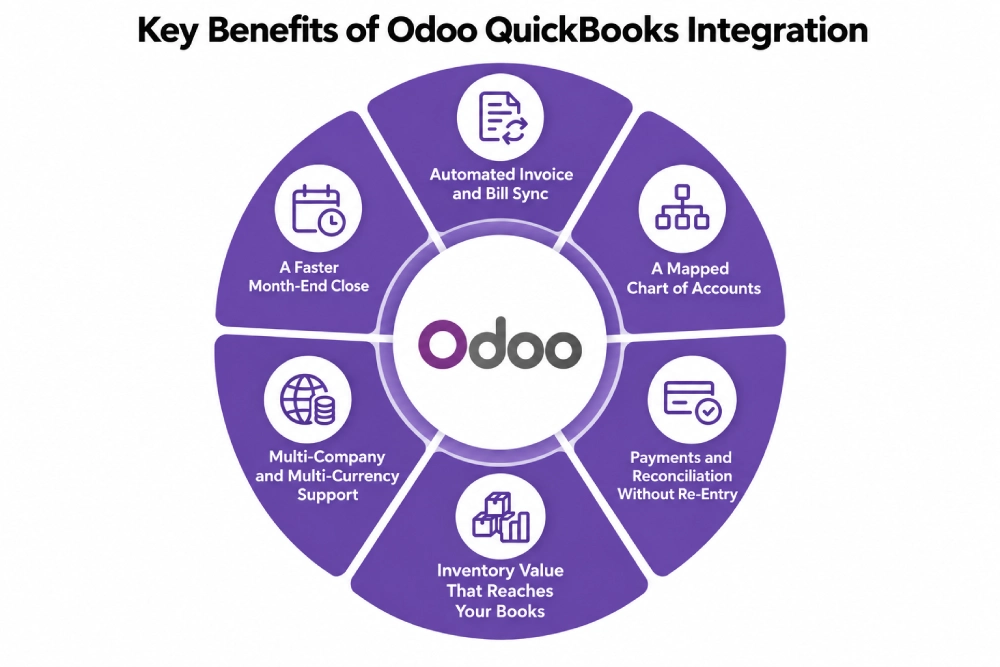
Automated Invoice and Bill Sync
Customer invoices raised in Odoo post to QuickBooks with the right customer, line items, tax codes, and terms. Vendor bills flow the same way. Nobody rekeys a document, and the reference on both sides matches so you can trace any transaction in either system.
A Mapped Chart of Accounts
Every Odoo account maps to its QuickBooks counterpart before a single transaction moves. Income, expense, receivable, payable, and tax accounts are agreed once, so postings land where your accountant expects rather than in a suspense account nobody reviews.
Payments and Reconciliation Without Re-Entry
Customer payments, vendor payments, and partial settlements sync against the correct open document. Bank reconciliation happens in one place instead of twice, and the two systems stop drifting apart every time someone applies a payment in the wrong one.
Inventory Value That Reaches Your Books
Stock valuation, landed cost, and cost of goods sold come out of Odoo as proper journal entries rather than a manual month-end adjustment. Your balance sheet reflects what is actually in the warehouse, at what it actually cost you.
Multi-Company and Multi-Currency Support
Several QuickBooks companies map to several Odoo companies, each with its own realm, credentials, journals, and tax setup. Multi-currency transactions carry the right rate and exchange difference rather than being converted by hand.
A Faster Month-End Close
Documents are already posted, payments already matched, and inventory already valued when close begins. Your finance team reviews instead of rebuilding, which is usually worth several days a month on its own.
What Odoo QuickBooks Integration Automates
Accounting integrations fail on direction, not on coverage. For every object, one system has to be the master and the other has to accept what it is given.
| Data object | Direction | Trigger |
| Chart of accounts | QuickBooks to Odoo | One-time, then on change |
| Tax codes and rates | QuickBooks to Odoo | One-time, matched by name |
| Customers | Both, one master agreed | On create or update |
| Vendors | Both, one master agreed | On create or update |
| Products and items | Odoo to QuickBooks | On change |
| Customer invoices | Odoo to QuickBooks | On confirmation |
| Vendor bills | Both | On confirmation |
| Credit notes and refunds | Odoo to QuickBooks | On validation |
| Customer and vendor payments | Both | On registration |
| Inventory and COGS journals | Odoo to QuickBooks | Scheduled, summarised |
Some requirements need rules written for your business whichever connector you license. Class and location tracking mapped to Odoo analytic accounts, 1099 vendor reporting, sales tax automation through Avalara or similar, deferred revenue schedules, and historical data brought across at cutover all sit outside standard connector behaviour. They are solvable through custom development, and unraised scope becomes visible at your first close rather than during the build.
How We Integrate QuickBooks With Odoo
Your cost is settled before anyone writes code, in the chart of accounts review and the decision about which system owns the ledger. A single company on QuickBooks Online is a different project from three entities, Desktop hosting, and class tracking across departments.
We Audit Your Chart of Accounts and Odoo Setup
Your account structure, tax codes, transaction volume, entities, currencies, QuickBooks edition, existing apps, and Odoo version and hosting. This is the front end of every Odoo consulting engagement we run, and what turns up here decides your route and most of your budget.
We Recommend a Route
| Route | Suits | Timeline |
| Connector such as VentorTech or an Odoo Apps module | One company, QuickBooks Online, standard accounts | 3 to 5 weeks |
| Connector plus configuration | Mapped tax, multi-currency, higher volume | 5 to 9 weeks |
| Middleware such as Celigo, Make, or n8n | Few objects, low volume | 3 to 6 weeks |
| Custom API build | Multi-entity, Desktop, class tracking, deferred revenue | 9 to 16 weeks |
We Decide Which System Owns the Ledger
Account by account, we agree which platform is the book of record and which receives a copy. Odoo usually owns anything driven by operations, meaning revenue, cost of goods sold, and inventory. QuickBooks usually owns anything your accountant touches directly. Skip this and you get two ledgers that never reconcile.
We Test Against Real Transactions
A full invoice cycle, a partial payment, a credit note, a foreign currency bill, a tax-exempt sale, and a month-end batch. We test against QuickBooks API rate limits and token refresh behaviour, because OAuth tokens expire and a sync that silently stops posting is worse than no sync at all.
We Cut Over and Monitor
Cutover is timed to a period boundary, with opening balances agreed and a parallel run through the first close. After that you have ongoing support, because Intuit changes its API and your books cannot afford a quiet failure.
Odoo QuickBooks Integration Services From Adatasol
A connector licence is cheap. An unreconciled ledger discovered at year end is not, and neither is a build that should have been a migration. We tell you which of those you are looking at before quoting anything.
You Get a US-Based Odoo Certified Ready Partner
We work from Willoughby, Ohio, on US business hours, in the same tax jurisdiction as your books. The same team runs your discovery, build, testing, and support, so nothing is handed off halfway through.
We Have Been Doing ERP for 20+ Years
Accounting integrations are judged by whether the numbers survive an audit. Two decades of ERP delivery is what matters when your CPA asks why a journal posted the way it did.
We Will Tell You If You Should Migrate Instead
Plenty of companies searching for this sync would be better served moving onto Odoo Accounting and retiring QuickBooks. If your situation points that way, we say so and scope an Odoo migration rather than sell you a permanent bridge you do not need.
We Fix Syncs That Are Already Broken
If your QuickBooks sync is duplicating invoices, posting to the wrong accounts, or failing quietly after a token expiry, that is integration rescue. We audit what you have and what it has already posted before recommending you replace it.
Book a free integration assessment and we will review your chart of accounts, your volumes, and your Odoo setup, then tell you which route fits.
Odoo QuickBooks Integration FAQs
Does Odoo integrate with QuickBooks?
Yes. QuickBooks Online connects to Odoo through licensed connector modules, middleware, or a custom API integration using OAuth 2.0. Customers, vendors, products, invoices, bills, payments, and tax codes all sync. QuickBooks Desktop connects differently and usually needs a hosted setup or file-based exchange.
How do I integrate Odoo with QuickBooks?
Create an Intuit developer app for your client ID, secret, and redirect URL, connect the realm, then map your chart of accounts, tax codes, customers, vendors, and products before any transactions move. Mapping is the work. The connection itself takes an afternoon.
Should we integrate QuickBooks or migrate to Odoo Accounting?
Integrate when your accountant needs QuickBooks, when you are mid-year, or when a parent company mandates it. Migrate when the only reason for keeping it is habit, because a permanent sync costs two subscriptions plus maintenance forever. We assess this before quoting either.
How much does Odoo QuickBooks integration cost?
A connector with proper account mapping is the cheapest route. Multi-entity setups, QuickBooks Desktop, class tracking, and deferred revenue rules push it up considerably. Cost tracks how many objects sync and how many accounting exceptions need rules, so we scope before quoting.
How long does it take?
Three to five weeks for one company on QuickBooks Online with a standard chart of accounts. Five to nine weeks with multi-currency and mapped tax. Nine to sixteen weeks for multi-entity, Desktop, or custom revenue recognition work.
Does it work with QuickBooks Desktop or only Online?
QuickBooks Online has a modern REST API and is what most connectors target. Desktop needs the Web Connector or an SDK-based exchange, often on a hosted server, which makes it slower and more fragile. We usually recommend Desktop clients plan their platform position first.
Which system should hold the chart of accounts?
QuickBooks normally stays the master for account structure and tax codes, since that is what your filings depend on. Odoo owns anything operations drives, meaning revenue recognition, cost of goods sold, and inventory valuation. Agreeing this per account is the single most important step.
Which Odoo versions and hosting are supported?
Connectors cover Odoo 16 through 19 on Odoo Online, Odoo.sh, and self-hosted setups, and support multiple QuickBooks companies mapped to multiple Odoo companies. Your edition choice depends on your wider Odoo implementation rather than the integration alone.















