
Odoo WooCommerce integration connects your WordPress store to Odoo ERP so products, variations, orders, customers, stock levels, and invoices move between the two systems automatically. It runs through a plugin on the WooCommerce side, a connector module inside Odoo, or a custom API build, depending on your order volume, catalogue size, and how much control you need over the sync logic.
WooCommerce gives you a store you own outright, which is the point of running it. It also means you own the hosting, the plugin stack, and everything that breaks when one of them updates. If your stock counts are wrong by lunchtime and your orders reach the warehouse by spreadsheet, that is what we fix as a US-based Odoo integration partner.
Why Your WooCommerce Store Needs Odoo Integration
WooCommerce handles your catalogue, checkout, and payment gateways. Purchasing, stock valuation, costing, and your books sit outside it. You could rebuild the storefront on Odoo eCommerce, but if your WordPress site, theme, and SEO are earning their keep, you keep WooCommerce and connect Odoo behind it. Run the back office on exports instead and it shows up in your stock accuracy, your order handling, and how long month-end takes.
Your Stock Updates Only When Cron Runs
WooCommerce relies on WP cron, which fires when someone visits your site rather than on a real schedule. On a quiet morning your stock sync can sit idle for hours. Your fastest SKUs oversell, you cancel orders, and customers find out before you do. Making Odoo Inventory the source of truth and switching to server cron or webhooks removes the gap.
Every Order Gets Retyped Into Your Warehouse Process
Orders come out of WooCommerce as a CSV and get keyed into picking, invoicing, and accounting by hand. It survives at thirty orders a day. At three hundred it becomes a full-time role, and the mistakes show up as wrong shipments and credit notes weeks later.
Plugin Updates Break Things Without Warning
You are running WooCommerce alongside a payment gateway plugin, a shipping plugin, maybe Subscriptions or a bookings extension. Any one of them can update and change how order data is written. A sync built without room for that fails quietly, and you usually find out from a customer.
Nobody Can Reconcile Three Payment Gateways
Most WooCommerce stores take money through Stripe, PayPal, and at least one more route. Each settles on its own cycle, net of its own fees. Without those flows mapped into Odoo Accounting, someone spends the first week of every month matching deposits back to orders in a spreadsheet.
Key Benefits of Odoo WooCommerce Integration
Connected properly, WooCommerce keeps the storefront and Odoo takes stock, purchasing, invoicing, and costing. Orders move one way, stock levels and order statuses move the other, and both systems agree within seconds of a sale rather than whenever the cron next fires.
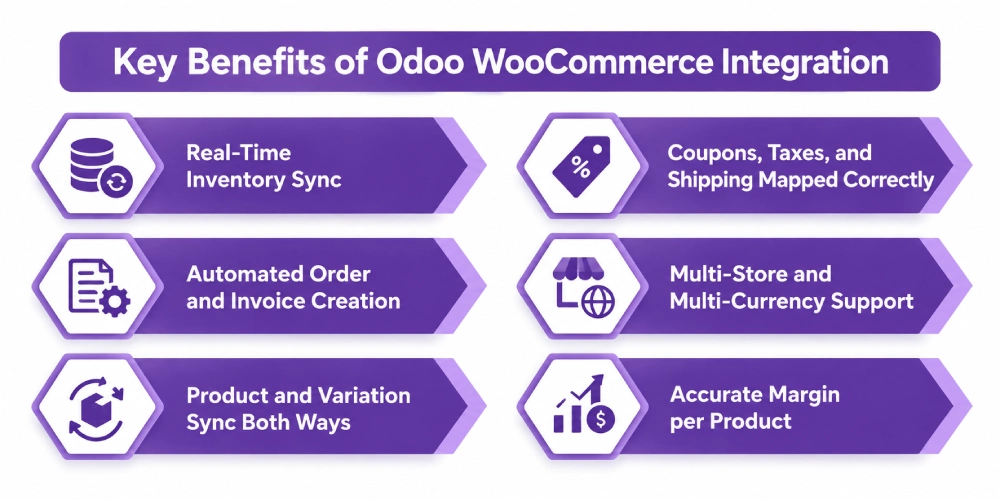
Real-Time Inventory Sync
Odoo holds your stock and pushes levels to WooCommerce when stock actually moves. Multiple Odoo warehouses can feed a single storefront quantity, so you sell against what you can genuinely ship rather than against a number someone typed in last week.
Automated Order and Invoice Creation
A WooCommerce order arrives in Odoo as a sales order with line items, coupons, tax, shipping method, and payment method attached. Depending on your rules it can confirm, deliver, invoice, and register payment without anyone opening a screen.
Product and Variation Sync Both Ways
Simple and variable products, attributes, categories, tags, images, and pricing sync in the direction you choose. Odoo is usually the master for price and stock, WooCommerce for descriptions and imagery, and the split is set during mapping rather than fought over later.
Coupons, Taxes, and Shipping Mapped Correctly
Discount codes, tax rates, shipping methods, and payment gateways map to the right Odoo journals, tax codes, and delivery carriers. This is the difference between an integration your bookkeeper trusts and one that quietly misposts revenue for a quarter.
Multi-Store and Multi-Currency Support
Several WooCommerce sites can feed one Odoo instance, each with its own warehouse, pricelist, and company. Multi-currency orders land with the right rate and journal applied instead of being converted by hand at month end.
Accurate Margin per Product
Landed cost, freight, and duty sit against your WooCommerce revenue inside Odoo. You see margin per SKU and per order rather than a monthly average, which is usually how stores discover which bestseller is losing money on shipping.
What Odoo WooCommerce Integration Automates
Sync scope gets agreed object by object. Your quote should name the direction and the trigger for each one, because “syncs everything” is where disputes start.
| Data object | Direction | Trigger |
| Simple and variable products | Odoo to WooCommerce | On change, matched on SKU |
| Categories, attributes, tags | Both | Scheduled |
| Stock levels | Odoo to WooCommerce | Real-time or scheduled, per warehouse |
| Orders | WooCommerce to Odoo | Webhook or cron |
| Customers and addresses | WooCommerce to Odoo | With order, deduplicated on email |
| Order status and tracking | Odoo to WooCommerce | On delivery validation |
| Invoices and payments | Created in Odoo | On confirmation or shipment |
| Coupons and discounts | WooCommerce to Odoo | With order, as line or field |
| Refunds and returns | Both | On processing, with restock |
| Tax and shipping mapping | Configured once | Applied per order |
Some things need rules written for your business whatever plugin you buy. WooCommerce Subscriptions renewals, partial refunds and exchanges, bundles and composite products, deposits and part payments, and B2B pricing tiers all sit outside standard connector behaviour. They are solvable through custom development, and if nobody raised them in your quote, you will meet them after go-live instead of before.
How We Integrate WooCommerce With Odoo
Most of your cost is settled in the first two steps, before anyone writes code. A single store on managed WordPress hosting with clean SKUs is a different project from three sites, a subscription plugin, and a 3PL, so we establish which one you have before quoting.
We Audit Your WordPress and Odoo Setup
Your SKU structure, order volume, hosting, active plugins, tax configuration, payment gateways, warehouses, and Odoo version and hosting. This is the front end of every Odoo consulting engagement we run, and what turns up here decides the route and most of your budget.
We Decide Where the Connector Lives
Where the connector runs shapes your upgrade path and your sync speed more than which brand you buy.
| Approach | How it works | Suits |
| Plugin on the WooCommerce side | Runs on your WordPress server, calls Odoo through XML-RPC or JSON-RPC, adds no code to Odoo | Standard stores, clean Odoo instance, Odoo Online |
| Connector module inside Odoo | Runs in Odoo, calls the WooCommerce REST API using consumer key and secret | Multiple stores, heavier catalogues, Odoo-side logic |
| Middleware such as Zapier, Make, or Celigo | Sits between both | Few objects, low volume |
| Custom API build | Written to your rules | Subscriptions, B2B pricing, unusual fulfilment |
Plugin-side keeps your Odoo database untouched, which matters if you upgrade often. Odoo-side gives you more control over mapping and handles volume better. Odoo.sh needs custom routes configured before either will talk over XML-RPC.
We Map Your Data
SKU as the match key, variation handling, tax codes to Odoo tax mapping, gateways to payment journals, and shipping methods to delivery carriers. Mapping is where integrations fail quietly, because a wrong key throws no error. It just creates duplicate products that nobody notices for a month.
We Test Against Real Orders
A full order, a variable product, a coupon, a partial refund, a failed payment, and a high-volume batch. We also test what happens when a plugin updates, because on WooCommerce that is a matter of when rather than if.
We Cut Over and Monitor
Phased go-live, error logging, real server cron instead of WP cron, and reconciliation checks through the first weeks. After that you have ongoing support, because WordPress, WooCommerce, and Odoo all ship updates on their own schedules and your integration has to survive all three.
Odoo WooCommerce Integration Services From Adatasol
A plugin handles the straightforward half of the sync. Tax mapping, subscription renewals, and gateway reconciliation are the half that takes months, and none of them are solved by buying a better licence.
You Get a US-Based Odoo Certified Ready Partner
We work from Willoughby, Ohio, on US business hours. The same team runs your discovery, build, testing, and support, so nothing gets handed to an offshore team halfway through.
We Have Been Doing ERP for 20+ Years
Connecting WooCommerce touches inventory valuation and your books, not just order routing. Two decades of ERP delivery is what matters when the sync has to produce numbers your accountant will sign off on.
We Tell You If a Plugin Is Enough
If an off-the-shelf connector covers what you need, we say so and configure it properly. We quote custom work when your requirement genuinely needs it, and we classify every requirement before you agree scope rather than after you have paid.
We Fix Syncs That Are Already Broken
If your WooCommerce sync is live and dropping orders, duplicating products, or failing reconciliation, that is integration rescue rather than another build. We audit what you have before recommending you throw any of it away.
Book a free integration assessment and we will review your store, your plugin stack, and your Odoo setup, then tell you which route fits.
Odoo WooCommerce Integration FAQs
Does Odoo integrate with WooCommerce?
Yes. You can connect them with a WordPress plugin, an Odoo-side connector module, middleware, or a custom API build. Products, variations, orders, customers, stock, coupons, and invoices all sync. Which route suits you depends on volume, catalogue complexity, and how many stores you run.
How do I integrate Odoo with WooCommerce?
Generate WooCommerce REST API keys, install the plugin or connector, map SKUs, tax codes, payment journals, and shipping methods, then test with real orders before going live. Mapping takes the longest and decides whether your data stays clean afterwards.
How much does Odoo WooCommerce integration cost?
A plugin with proper configuration is the cheapest route. Subscriptions, B2B pricing, multiple stores, and custom fulfilment logic push it up considerably. Cost tracks how many objects you sync and how many exceptions need rules, so we scope before quoting.
How long does it take?
Two to four weeks for one store on a standard plugin. Four to eight weeks with configuration on top, which covers most mid-market stores. Eight to sixteen weeks for custom builds involving subscriptions, multiple sites, or wholesale pricing.
Should the connector run on WooCommerce or inside Odoo?
Plugin-side adds no code to Odoo, which suits frequent upgrades and Odoo Online. Odoo-side gives more control over mapping and copes better at volume. We recommend based on your Odoo hosting, catalogue size, and how much custom logic the sync needs.
Can I connect multiple WooCommerce stores to one Odoo database?
Yes. Multiple sites map into one Odoo instance with warehouses, pricelists, and companies assigned per store. Plan it upfront. Retrofitting multi-store logic onto a single-store sync usually means rebuilding the mapping layer.















