
Odoo UPS integration connects your UPS account to Odoo ERP so rate quotes, shipments, labels, tracking numbers, and delivery status move between the two systems automatically. It runs through Odoo’s built-in UPS connector, a multi-carrier platform, or a custom API build, depending on your parcel volume, warehouses, and whether you need negotiated rates at checkout.
Shipping is the cost that moves every time you quote it. UPS raises rates each January, adds surcharges through the year, and bills for what it measured rather than what you typed. If your team keys addresses into a separate screen and freight reaches accounting as one weekly invoice, both are fixable. We handle that as a US-based Odoo integration partner.
Why Your Business Needs Odoo UPS Integration
UPS moves the parcel, rates it, and bills you. It does not know which sales order the box belongs to or what margin you made. If you are choosing between carriers or running several, start with the carrier options. If UPS already carries your volume, the cost sits in four places.
The Rate You Quote Is Not the Rate UPS Bills
UPS charges on billable weight, actual or dimensional whichever is higher, then adds residential, additional handling, and delivery area surcharges after the fact. If your weights and box dimensions in Odoo Inventory are approximate, every quote is approximate. The difference arrives later as an adjustment against your margin.
Addresses Get Typed Into a Separate Shipping Screen
Your team validates the delivery in Odoo, then retypes the address, weight, and service into WorldShip or the UPS site to get a label. Tracking numbers get pasted back if someone remembers. At three hundred parcels a day it is a full-time job, and transposed addresses become address correction fees.
UPS Legacy Stopped Working and Nobody Told You
UPS retired access key authentication in June 2024 and now requires OAuth 2.0. Odoo carries both a UPS provider and a UPS Legacy provider, and methods still pointing at the legacy one stop returning rates. Older Odoo versions and connector modules were affected together, and the failure looks like a rate that will not load rather than an authentication error.
Freight Cost Never Reconciles to the Shipment
The UPS invoice arrives weekly as a total. Nobody matches it back to individual deliveries, so freight posts to one expense account in Odoo Accounting and margin per order uses the rate you quoted rather than what UPS charged.
Key Benefits of Odoo UPS Integration
Connected properly, the rate comes from UPS when you need it, the label prints from the delivery order, and the tracking number is on the record before your customer emails to ask.
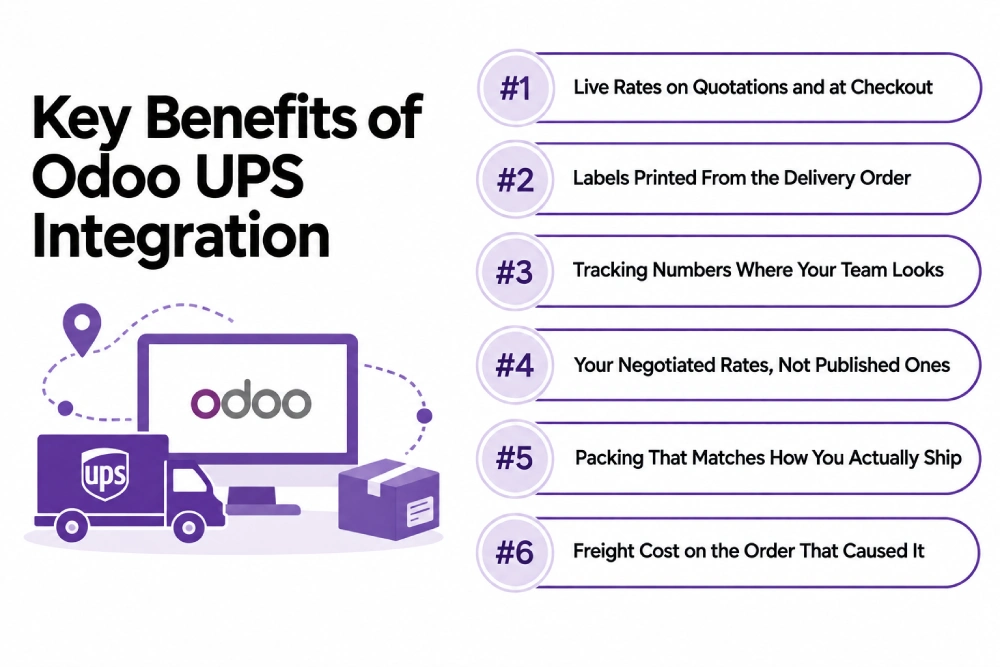
Live Rates on Quotations and at Checkout
Rate requests go to UPS with real weight, dimensions, and destination, so the price on a quotation or in Odoo eCommerce reflects the service and the account behind it. Customers see options rather than a flat fee that loses you money or loses you the order.
Labels Printed From the Delivery Order
Validating a delivery creates the UPS shipment and returns the label, ready to print. Nobody retypes an address, so address correction fees stop appearing on your invoice.
Tracking Numbers Where Your Team Looks
Tracking numbers post back to the delivery and the sales order in Odoo Sales, with status following as the parcel moves. Support answers “where is my order” from the record rather than the UPS website.
Your Negotiated Rates, Not Published Ones
Rate requests run against your UPS account, so the numbers you see are the ones you negotiated. Quoting published rates on a discounted contract means overcharging customers or funding the gap yourself.
Packing That Matches How You Actually Ship
Box types, weights, and dimensions sit against products and packaging in Odoo, so multi-box orders rate correctly the first time. Dimensional weight stops being a surprise, because the numbers sent to UPS match the shelf.
Freight Cost on the Order That Caused It
Shipping cost lands against the delivery and flows into landed cost and margin per order. You see which products, customers, and zones are expensive to serve rather than one freight line at month end.
What Odoo UPS Integration Automates
A carrier integration is scoped by what happens at each step of the parcel’s life. Rating, labeling, tracking, and cost reconciliation are four separate pieces of work, and a setup can do the first three and never touch the fourth. Have each one priced before you agree scope.
| Data object | Direction | Trigger |
| Rate quotes | UPS to Odoo | On quotation and at checkout |
| Service levels | UPS to Odoo | On configuration, per account |
| Package weight and dimensions | Odoo to UPS | With the rate request, from product data |
| Address validation | UPS to Odoo | Before label creation |
| Shipments | Odoo to UPS | On delivery validation |
| Labels | UPS to Odoo | With the shipment, attached to the delivery |
| Tracking numbers | UPS to Odoo | On label creation |
| Tracking status | UPS to Odoo | Scheduled or by webhook |
| Voids and cancellations | Odoo to UPS | On delivery cancellation, same day |
| Freight cost per shipment | In Odoo | On invoice, against the order |
Some requirements need rules written for your business whichever route you take. Commercial invoices and customs paperwork, hazardous materials, freight and less-than-truckload shipments, third-party and collect billing, invoice auditing against quoted rates, and rate shopping across carriers sit outside a standard carrier connector. They are solvable through custom development, and the ones nobody raised in your quote are the ones you meet in peak season.
How We Integrate UPS With Odoo
Most of your cost is settled in the first two steps, before anyone writes code. One warehouse shipping standard domestic parcels is a short job. Three warehouses, negotiated rates, international documents, and rate shopping against a second carrier is a build. We establish which you have before quoting.
We Audit Your UPS and Odoo Setup
Your UPS account numbers, whether API credentials exist yet, negotiated rate agreements, parcel volume and service mix, warehouses and ship-from addresses, the state of your weight and dimension data, and your Odoo version and hosting. This is the front end of every Odoo consulting engagement we run, and it decides your route.
We Recommend a Route
| Route | Suits | Timeline |
| Odoo’s built-in UPS connector | One account, standard domestic parcels, published services | 1 to 2 weeks |
| Connector plus packaging and rate configuration | Most US shippers, negotiated rates, several box types | 3 to 6 weeks |
| Multi-carrier platform such as EasyPost or ShipStation | Several carriers, rate shopping, 3PL handoff | 4 to 8 weeks |
| Custom API build | Multi-warehouse, international documents, freight, invoice audit | 8 to 14 weeks |
We Get Your Product Data Ready
Weights and dimensions on every product, box types defined, and packaging rules for multi-item orders. This is the step that gets skipped and the one that decides whether your rates are right. A carrier integration built on estimated weights produces confident quotes that are wrong, which is worse than no quote.
We Test Against Real Shipments
A domestic ground parcel, a multi-box order, a residential address, an oversized item, an international shipment, a void, and a rate request at checkout. We compare quoted rates against your real UPS invoice for the first cycles, because a configuration that looks correct can still run a few dollars light on every parcel.
We Cut Over and Monitor
One warehouse goes live first, with alerting on failed rate calls and label errors. After that you have ongoing support, because UPS changes rates and surcharges annually and retires API versions on its own schedule.
Odoo UPS Integration Services From Adatasol
Shipping is a per-parcel cost, so an error repeats. A rating setup three dollars light on every order looks like nothing on the first invoice and is a serious number by year end, which is why we check quotes against real invoices rather than the configuration screen.
You Get a US-Based Odoo Certified Ready Partner
We work from Willoughby, Ohio, on US business hours, on the same zone structure and surcharge schedule you ship under. The same team runs discovery, build, testing, and support. If you need capacity beyond the project, we can place an Odoo developer alongside your team.
We Have Been Doing ERP for 20+ Years
Carrier integration touches inventory, packing, and margin, not just label printing. Two decades of ERP delivery is what tells us where freight cost belongs and how it reaches the order. Most of our client work is manufacturing and distribution.
We Tell You If the Built-In Connector Is Enough
If Odoo’s native UPS connector covers what you need, we say so and configure it properly. We quote a build when rate shopping, customs documents, or invoice auditing require one, and we classify every requirement before you agree scope.
We Fix Shipping That Is Already Broken
If your rates stopped loading, labels fail intermittently, or your UPS invoice has never matched what you quoted, that is integration rescue rather than a new build. We check credentials, provider settings, and packaging data before recommending a rebuild.
Book a free integration assessment and we will review your UPS account, your parcel volume, and your Odoo setup, then tell you which route fits.
Odoo UPS Integration FAQs
Does Odoo integrate with UPS?
Yes. Odoo ships a UPS delivery connector handling rating, labels, and tracking from the delivery order, and multi-carrier platforms cover the same ground. Customs documents, freight, and invoice auditing need work beyond it.
How do I connect UPS to Odoo?
Create a UPS account with a payment method, register an application in the UPS developer portal with your Odoo database URL as the callback, and enter the credentials and account number in your shipping method. Then load real weights and dimensions, which takes longer than the setup.
Why did my UPS rates stop loading?
Most likely authentication. UPS retired access keys in June 2024 in favor of OAuth 2.0. Check that your shipping method uses the UPS provider rather than UPS Legacy, and archive legacy methods rather than editing them. Older connector modules need updating too.
Will Odoo show my negotiated UPS rates?
Yes, when the integration requests rates against your own account with negotiated rates enabled. Without it you quote published rates, which are higher. Rate type also affects billing, so the setting should match the agreement you hold.
Why does my UPS invoice differ from the quoted rate?
Usually billable weight or surcharges. UPS rates on dimensional weight where it exceeds actual weight, and adds residential, additional handling, and address correction charges after pickup. Accurate dimensions and address validation remove most of the gap.
How much does Odoo UPS integration cost?
Configuring the built-in connector is the cheapest route. Packaging rules, multiple warehouses, and rate shopping cost more, and invoice auditing more again. Cost tracks parcel volume, service mix, and how much weight and dimension data needs building.
Can I connect multiple UPS accounts or warehouses to one Odoo database?
Yes. Several accounts and ship-from locations map into one database with shipping methods assigned per warehouse or company. Set it up at the start, because a second ship-from address changes rating and surcharge behavior.
Which Odoo versions and hosting are supported?
UPS integration runs on Odoo 16 through 19 on Odoo Online, Odoo.sh, and self-hosted, though older versions need the OAuth-capable provider rather than legacy. Because shipping touches inventory, sales, and invoicing, settle it alongside your wider Odoo implementation.















