
Odoo SAP integration connects Odoo with SAP Business One, SAP S/4HANA, or another defined SAP environment so approved master data and transactions move between the systems automatically. The integration route depends on the SAP product, deployment, business objects, transaction volume, and which ERP owns each record.
Both ERPs can hold customers, suppliers, products, orders, inventory, and financial information. Giving both systems unrestricted control creates duplicate masters and conflicting transactions. We define ownership and transaction handoffs as a US-based Odoo integration partner.
Why Your Business Needs Odoo SAP Integration
SAP and Odoo can overlap across sales, procurement, inventory, finance, manufacturing, and master data. When both systems remain in the operating model, each shared customer, product, supplier, order, and financial object needs one agreed system of record.
The Same Master Data Exists Twice
A customer, supplier, or product can exist in both systems with different codes, units, names, addresses, or classifications. Matching by description alone can create duplicates. The integration needs stable cross-system identifiers so an existing SAP Business Partner, item, or supplier maps back to the correct Odoo record.
Orders Get Re-Entered Across ERP Boundaries
One business unit may originate an order in SAP while another fulfills it through Odoo Sales. Without integration, employees recreate customers, document lines, quantities, prices, and references before work can continue. The handoff should create the receiving transaction from approved source data.
Your SAP Product Determines the Interface
SAP Business One and SAP S/4HANA expose different interfaces. Business One provides its Service Layer for business-object access, while S/4HANA uses object-specific integration services whose availability depends on the business object and deployment. The SAP environment has to be identified before mapping begins.
Inventory and Finance Represent the Same Transaction Differently
Fulfillment may happen in Odoo while SAP remains the corporate financial or reporting system. Delivery, receipt, invoice, and accounting events have to cross at defined points. Otherwise Odoo Accounting and SAP can represent different states of the same transaction.
Key Benefits of Odoo SAP Integration
A reliable Odoo SAP integration does not make both ERPs equal masters. Each shared customer, supplier, product, order, stock record, and financial object receives an agreed owner. The receiving ERP gets the data it needs without being allowed to overwrite the source indiscriminately.
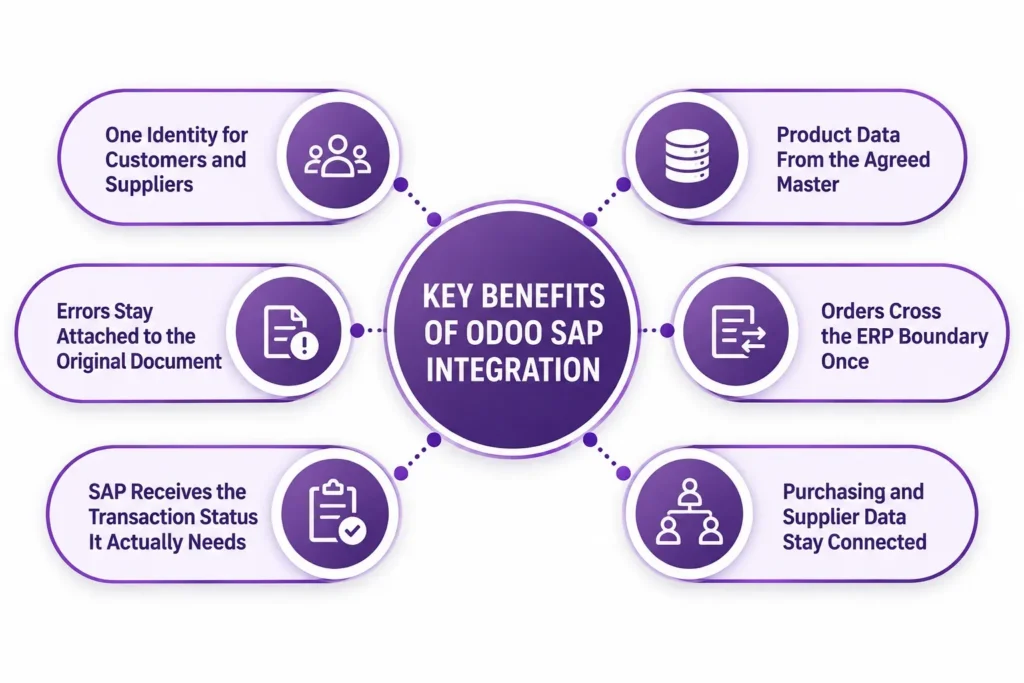
One Identity for Customers and Suppliers
SAP Business Partners and Odoo customer or vendor records are linked through stable identifiers. Later updates use those identifiers rather than names or addresses alone, reducing the chance that a change creates another customer or supplier instead of updating the existing record.
Product Data From the Agreed Master
One ERP owns the approved product code and selected master fields while the other receives only the information its workflow requires. Product-master ownership stays separate from operational stock activity in Odoo Inventory unless the integration design deliberately connects both.
Orders Cross the ERP Boundary Once
The integration defines which transaction starts the handoff. An approved sales order, purchase order, or other business event creates the corresponding record in the receiving ERP with its original reference retained. Employees no longer rebuild the document line by line.
Purchasing and Supplier Data Stay Connected
Where procurement spans both systems, supplier references, approved products, purchase documents, and receipt status can move under defined ownership rules. Odoo Purchase can own the operational purchasing workflow while SAP receives selected transactions, or the direction can be reversed when SAP is the procurement master.
SAP Receives the Transaction Status It Actually Needs
SAP may need confirmation that a delivery occurred, a receipt posted, or an invoice reached an agreed status. It does not necessarily need every warehouse event generated in Odoo. Sending selected milestones keeps the corporate ERP informed without duplicating the operational process.
Errors Stay Attached to the Original Document
Transferred objects carry source and destination identifiers, timestamps, processing status, and error information. A rejected order or unmapped product remains traceable to the source transaction instead of disappearing inside a failed scheduled import that nobody can reconcile.
What Odoo SAP Integration Automates
Odoo SAP integration scope depends on the SAP product, business objects, and ownership model. SAP Business One Service Layer and SAP S/4HANA services do not expose an identical interface, so every direction and trigger is mapped against the actual environment.
| Data object | Direction | Trigger |
| Customers and Business Partners | SAP to Odoo or Odoo to SAP, one master | On creation or approved change |
| Suppliers | SAP to Odoo or Odoo to SAP, one master | On creation or approved change |
| Products and item masters | SAP to Odoo or Odoo to SAP, one master | On approved master-data change |
| Pricing and commercial data | Agreed commercial master to receiving ERP | On approved pricing change |
| Sales orders | Source ERP to fulfillment ERP | On approval or confirmation |
| Purchase orders | Procurement ERP to receiving ERP | On approval or confirmation |
| Inventory availability | Operational ERP to requesting ERP | On schedule, movement, or request |
| Delivery and receipt status | Fulfillment ERP to source ERP | On agreed fulfillment milestone |
| Invoice or accounting status | Accounting ERP to requesting ERP | On posting or agreed status |
| Custom fields and extensions | Defined per mapped object | On agreed event or schedule |
SAP user-defined fields, custom objects, multi-company mappings, manufacturing transactions, custom document logic, and fields with different meanings between SAP and Odoo may require custom Odoo development or middleware transformations. API access does not make two ERP objects equivalent.
How We Integrate SAP With Odoo
The SAP product and system-of-record model are settled before connector selection. SAP Business One commonly exposes business objects through its Service Layer, while SAP S/4HANA uses object-specific APIs and integration services. We choose the technical route after the objects, directions, volume, and exception requirements are defined.
We Audit Your SAP and Odoo Setup
Our Odoo consulting work identifies the SAP product and deployment, companies, required business objects, current interfaces, custom fields, master-data owners, transaction volume, Odoo modules, warehouses, charts of accounts, and workflows that still cross systems manually.
We Recommend a Route
| Route | Suits | Timeline |
| SAP Business One Service Layer integration | Business One objects exposed through the required Service Layer endpoints | Confirmed after SAP B1 and object audit |
| SAP S/4HANA API integration | Business objects with suitable S/4HANA integration services | Confirmed after API and process review |
| Integration platform or middleware | Several systems requiring transformations, queues, retries, and central monitoring | Confirmed after architecture review |
| Custom point-to-point integration | Custom SAP interfaces, complex transformations, or Odoo-specific transaction logic | Confirmed after technical discovery |
SAP Business One Service Layer uses OData for business-object access, with OData V4 as the primary protocol for current development and V3 retained for backward compatibility. SAP S/4HANA exposes object-specific services, so the required interface is confirmed for each object in scope.
We Map Codes, Objects, and Ownership
We map SAP identifiers to Odoo records and establish which system can create or modify each object. Customer codes, supplier codes, item numbers, units, warehouses, companies, tax references, document types, and statuses are mapped explicitly so a valid API transaction does not create the wrong business record.
We Test Complete Transactions
We test record matching, order creation, amendments, status returns, rejected transactions, retries, and the custom fields used in your real workflow. A successful API response is not enough if the receiving ERP creates the wrong customer, item, company, warehouse, or document type.
We Cut Over and Monitor
We move approved objects into production in controlled groups, preserve cross-system identifiers, and make rejected transactions visible for review. After launch, ongoing Odoo support can cover mapping changes, credentials, API failures, new SAP fields, Odoo workflow changes, and integration jobs that stop processing.
Odoo SAP Integration Services From Adatasol
An ERP-to-ERP integration can transfer every requested field and still fail if both systems believe they own the same record. Duplicate masters, documents created twice, inventory posted in the wrong ERP, and financial records that no longer trace to the operating transaction are architecture problems rather than data-transfer problems.
You Get a US-Based Odoo Certified Ready Partner
Adatasol works from Willoughby, Ohio on US business hours. We approach SAP integration as an ERP and business-process project rather than a collection of API calls. When the approved scope requires additional technical capacity, we can provide an Odoo developer alongside the project.
We Have Been Doing ERP for 20+ Years
Connecting two ERP environments requires understanding what a transaction means after it crosses the system boundary. Our ERP delivery experience includes more than 20 years of ERP work and broader software-integration experience, including SAP-related work.
We Tell You What Should Not Sync
Not every SAP field belongs in Odoo and not every Odoo event needs to reach SAP. We classify the master system, required fields, handoff event, return status, and exception rules before build. Removing unnecessary objects reduces mapping, monitoring, and conflict handling.
We Fix SAP Integrations That Are Already Broken
If records duplicate, orders remain stuck between systems, master data no longer matches, or scheduled transactions stop processing, the engagement may begin as integration rescue. We trace identifiers, mappings, interfaces, and ownership rules before recommending a repair or replacement.
Book a free integration assessment and we will review your SAP product, the objects crossing into Odoo, and your system-of-record requirements, then tell you which integration route fits.
Odoo SAP Integration FAQs
Does Odoo integrate with SAP?
Yes. Odoo can exchange customers, products, orders, purchasing, inventory, and approved financial data with SAP through APIs, middleware, or custom integration. The route depends on the SAP product, deployment, and business objects involved.
Can Odoo integrate with SAP Business One?
Yes. SAP Business One exposes business objects through its Service Layer using HTTP and OData. Current development uses OData V4 as the primary protocol, while V3 remains available for backward compatibility.
Can Odoo integrate with SAP S/4HANA?
Yes. SAP S/4HANA provides object-specific integration services for records such as Business Partners and Sales Orders. The available interface depends on the business object, S/4HANA deployment, and integration requirements.
Which system should own customer and product data?
One ERP should own each shared master object or defined field group. Ownership depends on where the record is created, governed, approved, and maintained rather than which system has the easier API.
Can sales and purchase orders move between SAP and Odoo?
Yes. Approved orders can cross the ERP boundary when the required fields and receiving workflow are mapped. The design must also define amendments, cancellations, fulfillment status, rejected transactions, and source references.
Can SAP and Odoo synchronize inventory?
Yes, but the required data should be defined precisely. One system may send availability while another owns warehouse movements. Replicating every stock event is unnecessary when the receiving ERP only needs an available quantity or fulfillment status.
Can several SAP companies connect to one Odoo database?
Multiple SAP companies can be mapped to one Odoo environment when company, customer, supplier, product, warehouse, currency, and document relationships are defined explicitly. The selected integration route must also support the required company structure.
Which Odoo hosting options support SAP integration?
External middleware can connect through supported Odoo APIs without installing a custom module. Custom Python integration modules require Odoo.sh or self-hosted Odoo because Odoo Online does not support non-standard modules. Confirm the route during your wider Odoo implementation.















