
Odoo HubSpot integration connects HubSpot CRM with Odoo ERP so Companies, Contacts, Deals, Products, Line Items, quotations, orders, and selected post-sale data move between the systems automatically. The route depends on the HubSpot objects involved, how their associations map into Odoo, which system owns each record, and whether updates run on events or a schedule.
HubSpot stores Contacts, Companies, Deals, Products, and Line Items as separate but related records. A Contact copied without its Company and Deal associations can reach Odoo with correct field values but the wrong commercial context. We design those relationships as a US-based Odoo integration partner.
Why Your Business Needs Odoo HubSpot Integration
HubSpot can manage marketing and sales activity while Odoo handles quotations, orders, inventory, delivery, invoicing, and accounting. Each shared record needs an agreed owner, and the relationships between those records need to remain intact when a Deal crosses into ERP.
The Contact Arrives but Its Relationships Do Not
A HubSpot Contact can belong to a Company and participate in one or more Deals. Those associations carry commercial context that individual fields do not. If the integration copies records without preserving their relationships, Odoo CRM can receive the correct person attached to the wrong customer or opportunity.
Every HubSpot Contact Becomes an ERP Customer
HubSpot can contain prospects, newsletter subscribers, inactive leads, former customers, and active buyers. Odoo does not need an operational customer record for all of them. Customer creation should occur only when a Contact, Company, or Deal reaches the agreed business event that requires quotation, fulfillment, invoicing, or service.
Deal Line Items Do Not Map Like Product Records
A HubSpot Product represents catalog information. A Line Item represents a product within a specific Deal, Quote, or other transaction and carries its own quantity, price, discount, and commercial context. Mapping Products without their Line Items can create an Odoo transaction that does not match the deal your salesperson approved.
HubSpot Says Closed Won but Finance Has No Transaction
A Deal can reach Closed Won while the actual sale still needs to become an Odoo quotation or sales order, move through delivery, and produce an invoice. Without that handoff, HubSpot records the commercial outcome while Odoo Accounting holds the financial outcome separately.
Key Benefits of Odoo HubSpot Integration
HubSpot associations, record IDs, Deal stages, Products, and Line Items need separate mappings into Odoo. The handoff should create the ERP transaction without giving both systems unrestricted control over the same customer, product, or commercial fields.
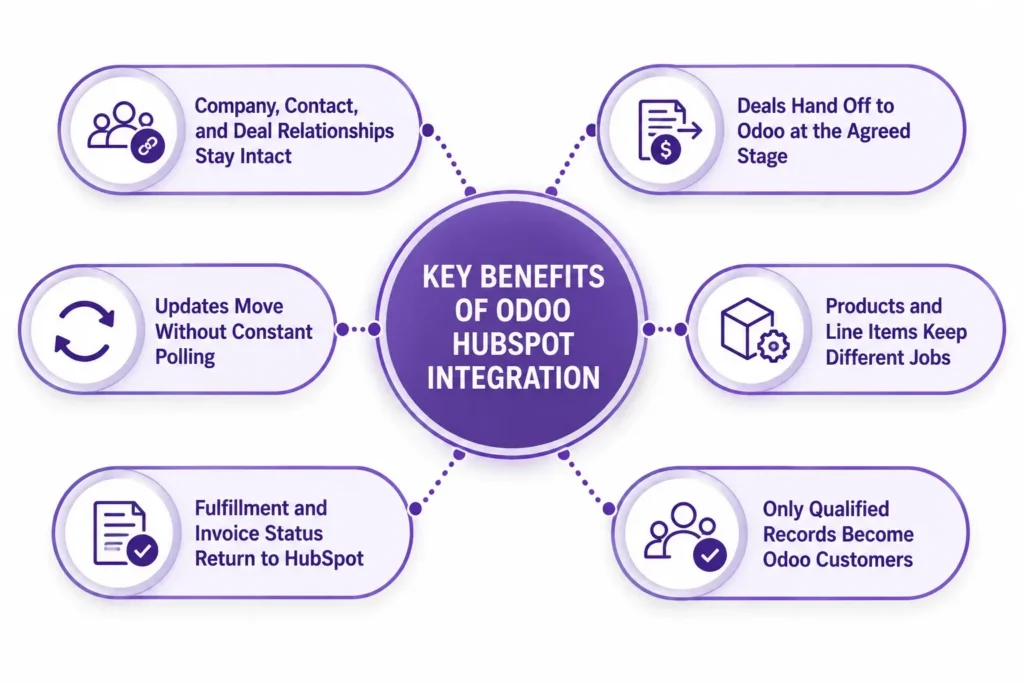
Company, Contact, and Deal Relationships Stay Intact
HubSpot record identifiers are stored against their Odoo counterparts, and association mappings preserve which Contact belongs to which Company and Deal. Labeled relationships can also be mapped when distinctions such as a primary company or defined decision-maker affect the sales workflow.
Deals Hand Off to Odoo at the Agreed Stage
A defined HubSpot Deal stage can trigger the ERP transaction. The associated Company, Contacts, approved Line Items, quantities, prices, currencies, and required commercial properties move into Odoo Sales without asking another employee to rebuild the deal.
Products and Line Items Keep Different Jobs
The Product record can remain the commercial catalog reference while Line Items carry transaction-specific quantities, prices, discounts, and descriptions. We map those values to Odoo products and order lines without treating every Deal Line Item as a new product master.
Only Qualified Records Become Odoo Customers
A marketing subscriber or early-stage prospect does not need an ERP customer record. We define the Deal stage, lifecycle condition, or approved event that creates or updates the customer in Odoo so the operational database receives records when they become relevant.
Fulfillment and Invoice Status Return to HubSpot
Once Odoo owns the operational transaction, selected milestones can return to HubSpot. Delivery status from Odoo Inventory and invoice or payment status give sales and account teams post-sale visibility without recreating the ERP workflow inside the CRM.
Updates Move Without Constant Polling
Supported HubSpot events can notify the integration when relevant records or associations change. Event-driven updates reduce unnecessary polling where webhook coverage fits the workflow, while scheduled synchronization can handle objects or checks that do not need immediate processing.
What Odoo HubSpot Integration Automates
HubSpot integration scope is set object by object. Some records remain CRM-owned, others become ERP-owned after a defined handoff, and some only return selected status fields. Associations are mapped separately from the records they connect.
| Data object | Direction | Trigger |
| Companies | HubSpot to Odoo or Odoo to HubSpot, one master | On agreed creation or change |
| Contacts | Direction defined by customer lifecycle | On qualification or approved change |
| Deals | HubSpot to Odoo | At agreed pipeline stage |
| Contact, Company, and Deal associations | HubSpot to Odoo | With record creation or association change |
| Products | Master direction agreed | On approved product change |
| Deal and Quote Line Items | HubSpot to Odoo | With approved transaction handoff |
| Quotations or sales orders | HubSpot handoff to Odoo | On agreed Deal stage |
| Fulfillment status | Odoo to HubSpot | On delivery milestone |
| Invoice and payment status | Odoo to HubSpot | On posting or payment |
| Custom properties and objects | Direction defined in mapping | On event or schedule |
Custom properties, association labels, several pipelines, custom Odoo models, complex product bundles, historical CRM migrations, and HubSpot custom objects may require custom Odoo development or middleware transformations. Custom objects need an Odoo destination, identifier, property mapping, association mapping, and update rule.
How We Integrate HubSpot With Odoo
HubSpot and Odoo need an agreed owner for each shared object, a defined Deal handoff event, and rules for which operational statuses return to CRM. The technical route follows those decisions, together with authentication, transaction volume, association complexity, and required update frequency.
We Audit Your HubSpot and Odoo Setup
During Odoo consulting, we identify the HubSpot Contacts, Companies, Deals, Products, Line Items, custom properties, associations, pipelines, and Odoo records crossing the system boundary. We also review authentication, duplicate records, customer creation rules, product ownership, and the current Deal-to-order process.
We Recommend a Route
| Route | Suits | Timeline |
| Compatible Odoo-HubSpot connector | Standard CRM and sales objects covered by a connector that supports your Odoo version | Confirmed after connector and version audit |
| Workflow middleware | A small number of defined Deal, customer, or status handoffs | Confirmed after workflow mapping |
| Integration platform | Multiple objects requiring transformations, retries, queues, and monitoring | Confirmed after architecture review |
| Direct HubSpot API build | Complex associations, custom objects, higher volume, or client-specific transaction logic | Confirmed after API and scope review |
HubSpot supports OAuth for integrations distributed across accounts and access-token authentication for private, single-account use. Existing integrations built around older authentication methods should have their credential and token flow reviewed before reuse. OAuth-based builds should also be checked for legacy v1 token endpoints scheduled for deprecation in February 2027.
We Map Associations, Properties, and Handoff Rules
HubSpot Contact, Company, Deal, Product, and Line Item IDs are stored against their Odoo counterparts. Association mappings preserve which records belong together, while Deal stages, currencies, quantities, product references, custom properties, and customer rules determine what Odoo creates when the handoff occurs.
We Test Against Real Deals
We test an existing Company match, a new Contact association, a Deal with multiple Line Items, Deal-to-order handoff, an amended transaction, status returning from Odoo, and a failed sync retry without duplication. Relationship accuracy is checked alongside field accuracy.
We Cut Over and Monitor
We move mapped records into production with cross-system identifiers preserved and failed transactions visible. We also monitor API consumption, authentication, association errors, and failed requests. After launch, ongoing Odoo support can cover new HubSpot properties, pipeline changes, API updates, and Odoo workflow changes.
Odoo HubSpot Integration Services From Adatasol
A Contact and Deal can copy successfully and still create the wrong Odoo transaction if the Company association, Line Items, currency, product mapping, or customer match is wrong. We test the relationship and transaction together rather than treating record transfer alone as success.
You Get a US-Based Odoo Certified Ready Partner
Adatasol works from Willoughby, Ohio on US business hours. We treat HubSpot integration as part of the customer, sales, order, fulfillment, and accounting workflow rather than a bulk CRM export. Additional technical capacity can be provided through an Odoo developer when the approved architecture requires custom work.
We Have Been Doing ERP for 20+ Years
CRM data becomes ERP data when a prospect becomes a customer, a Deal becomes an order, and the commercial commitment becomes inventory and financial activity. Our ERP delivery experience includes more than 20 years of ERP work and a longer software-development history.
We Tell You If a Connector Is Enough
If a compatible connector supports your HubSpot objects, associations, authentication, mappings, and Odoo version, we configure that route rather than replacing it with custom code. Direct development is reserved for requirements the available connector cannot represent or control.
We Fix HubSpot Syncs That Are Already Broken
If Contacts duplicate, Company relationships disappear, Deals create incomplete transactions, authentication fails, or scheduled syncs stop processing, the engagement may begin as integration rescue. We trace record IDs, associations, mappings, authentication, and failures before recommending a repair or replacement.
Book a free integration assessment and we will review your HubSpot objects, associations, Deal handoff, and Odoo sales workflow, then tell you which integration route fits.
Odoo HubSpot Integration FAQs
Does Odoo integrate with HubSpot?
Yes. Odoo can exchange Companies, Contacts, Deals, Products, Line Items, and selected operational status with HubSpot through a compatible connector, middleware, or direct API integration.
Can HubSpot Deals create Odoo sales orders?
Yes. An agreed Deal stage can create an Odoo quotation or sales order using the associated Company, Contacts, Line Items, quantities, prices, currencies, and mapped commercial fields.
Why do HubSpot associations matter?
HubSpot stores relationships between Contacts, Companies, Deals, and other objects separately. Syncing records without their associations can leave correct field values connected to the wrong customer or transaction.
How are HubSpot Contacts and Companies matched in Odoo?
Stable cross-system identifiers and matching rules link the records. Company associations are preserved separately so the correct Contact remains connected to the correct Odoo customer.
Can an older HubSpot API-key integration still be reused?
It should be reviewed first. Current HubSpot authentication uses OAuth or app access tokens. Older connectors built around legacy authentication may need credential or authentication changes before reuse.
Can Odoo integrate with HubSpot custom objects?
Yes, when your HubSpot subscription and integration route support them. Each custom object needs an identifier, property mapping, association mapping, Odoo destination, and update rule.
Can HubSpot updates reach Odoo through webhooks?
Yes, for supported HubSpot events. Webhooks can notify the integration about relevant record or association changes, while scheduled synchronization can cover workflows that do not require event-driven updates.
Which Odoo hosting options support HubSpot integration?
External middleware can connect through supported Odoo APIs without a custom module. Python-based third-party or custom connectors require Odoo.sh or self-hosted Odoo because Odoo Online does not support custom modules. Confirm compatibility during your wider Odoo implementation.















