
Odoo POS is a strong Lavu alternative for restaurants that want ordering, inventory, purchasing, and accounting connected within one ERP system. Lavu offers iPad-based restaurant ordering, ingredient tracking, kitchen operations, and multi-location tools. Odoo adds integrated financial accounting, warehouse management, and business workflows that extend beyond restaurant service.
For restaurants replacing Lavu, the critical considerations are forced and optional modifiers, inventory recipes, MenuDrive ordering, payment contracts, and the records available from Lavu’s Control Panel. These details determine how accurately the existing operation can be recreated in Odoo.
Odoo POS vs Lavu: Key Differences
| Capability | Odoo POS | Lavu POS |
| Platform | Restaurant POS within Odoo ERP | Restaurant-focused iPad POS and connected products |
| Table and bar service | Floor plans, transfers, splits, tips | Tables, tabs, preauthorization, check splitting |
| Menu options | Products, variants, pricelists, configurable selections | Menu groups, forced and optional modifiers, detours |
| Kitchen | Preparation screens, printers, courses | Kitchen printers, KDS, item/modifier routing |
| Online orders | Self-ordering, website workflows and integrations | MenuDrive and supported delivery connections |
| Ingredient inventory | Stock records; consumption requires configuration | Linked ingredients deducted when configured items sell |
| Supplier purchasing | Purchase orders, receipt matching, vendor bills | Vendor orders, partial receiving, inventory updates |
| Stock transfers | Warehouses, locations, internal transfers | Transfers between chained Lavu locations |
| Accounting | General ledger, bills, taxes, reconciliation | Sales/GL reports and connected finance offerings |
| Multi-location | Multiple POS, warehouses, multi-company options | Multi-Location Menu Management and centralized settings |
| Staff and loyalty | Employees, Planning, loyalty, customer records | Timecards, scheduling, gift cards, loyalty |
| Payments and hardware | Compatible browser devices and providers | iPads, Lavu-supported devices and processors |
| AI and analytics | Odoo reporting and eligible AI functionality | Marty AI insights and automation offerings |
| Pricing | Published Odoo subscriptions | Third-party-listed POS tiers; separately advertised Marty plans |
Odoo connects the POS transaction to the purchase order, stock receipt, vendor bill, and accounting entry when those workflows are configured. This makes the comparison relevant to the entire restaurant business, not just its checkout screens.
What Is Marty AI, and Is It the Same as Lavu POS?
Lavu now markets its restaurant offering alongside Marty AI, a product positioned around analyzing menu performance, labor, voids, pricing, and revenue opportunities. Its current website describes insights, automation, and an Autopilot tier, alongside Lavu POS, payments, payroll, and banking services.
Marty is not simply a new name for the Lavu POS register. Lavu advertises an Insights offering that can work with other POS platforms, while its full Autopilot offering requires Lavu POS.
The distinction matters when comparing software costs and capabilities:
- Lavu POS handles restaurant transactions and configured operational workflows.
- Marty AI analyzes restaurant activity and provides advertised insights or automation according to the selected offering.
- Odoo ERP maintains connected operational and accounting records, with its own applications for purchasing, stock, sales, and finance.
AI-driven restaurant recommendations do not automatically replace a general ledger, vendor-bill controls, warehouse transfers, or company financial statements. Restaurants comparing Lavu with Odoo should establish which Lavu products are actually licensed.
Lavu vs Odoo: Restaurant Operations and Business Management
Table Service, Bar Tabs, and Menu Modifiers
Lavu supports table layouts, open tabs, check splitting, gratuities, and card preauthorization through supported payment configurations. Its Control Panel organizes the menu through groups, categories, items, and modifiers.
Lavu’s menu configuration distinguishes forced modifiers, which prompt required selections, from optional modifiers such as add-ons and substitutions. Modifier lists can be attached to categories or individual items, and an item-specific forced modifier can override the category-level assignment.
Lavu also supports modifier detours. A customer choosing a side salad can be prompted to select dressing only when that specific side is chosen, rather than receiving the dressing question for every side.
Odoo POS supports restaurant floor plans, transfers, merged tables, bill splitting, tips, and configurable products and options.
A burger ordered with a salad, ranch dressing, and a paid extra patty illustrates why migration requires more than item names and prices. Odoo must reproduce the required selection, conditional dressing question, surcharge, and kitchen instructions. Complex nested choices may require an extension after standard configuration has been evaluated.
Kitchen Displays, Preparation Routing, and Menu Availability
Lavu provides kitchen display systems and printers. Its printer settings can direct a forced or optional modifier to the same kitchen printer as its parent item, to a different printer, or to both.
For example, a cocktail order may print at the bar while its food accompaniment prints in the kitchen. Sending every modifier to the same printer after migration could interrupt that separation.
Lavu also lets managers mark menu items and modifiers unavailable, either until the next day or indefinitely. This is separate from inventory-driven unavailability.
Odoo uses preparation displays and printers assigned to product categories or stations. Courses can be held and released during table service. Restaurants can configure ordering availability and supported self-ordering workflows.
Before replacing Lavu, test held orders, modifier changes, station routing, and sold-out products. Lavu’s resending of edited kitchen orders depends on an appropriate Allow Order Resend setting; any equivalent Odoo process needs deliberate validation.
Ingredient Depletion, Stock Counts, and Food Costs
Lavu’s inventory system supports recipe-like ingredient links to menu products. Its ingredient-linking documentation explains that restaurants can define ingredient quantities used per serving. When a configured product sells, those ingredient quantities are deducted from stock.
Lavu can also mark an item unavailable when tracked ingredient stock falls too low. Its inventory functions include alerts, stock counts, waste records, and reconciliation.
Odoo Inventory manages receipts, warehouses, stock locations, replenishment, and transfers. A restaurant company can receive ingredients centrally, move them between branches, and connect those movements with purchasing and accounting records.
Standard Odoo POS does not automatically deduct every raw ingredient when a prepared meal sells. Recipe-level depletion needs a configured production, manufacturing, or equivalent consumption workflow, potentially with an extension or integration.
For a pizza restaurant, the migration must preserve the amounts of dough, sauce, cheese, and toppings assigned to each size and recipe. Opening quantities, waste reasons, and units of measure also need verification. Accurate restaurant menu costing depends on ingredient yields and supplier prices, not just menu sales.
Supplier Orders, Receiving, and Inter-Location Transfers
Lavu Inventory supports suppliers, ingredient orders, receiving, and stock transfers. Its vendor documentation allows orders to be recorded against a vendor and received fully or partially.
An important distinction: Lavu’s documented vendor-order workflow does not itself email purchase orders to suppliers. Restaurants using the Control Panel must confirm how the order is communicated externally.
Odoo Purchase manages supplier information, purchase orders, replenishment, and corresponding vendor communications and records. Odoo Inventory tracks the quantities actually received, while Accounting can manage the supplier bill.
Lavu also supports inventory transfers between chained locations, moving records through pending, shipped, and received statuses. These are genuine stock-transfer functions, not just manual adjustments.
For an operator with a central commissary, four outlets, and a catering kitchen, Odoo can organize suppliers, receipts, inter-location transfers, and invoice reconciliation within one ERP configuration. Stock for restaurant and nonrestaurant operations can be managed through the appropriate warehouses and locations.
Central Menus, Multi-Location Pricing, and Revenue Centers
Lavu’s Multi-Location Menu Management (MLMM) supports centralized menus, discounts, taxes, prices, and updates across chained locations. Its enterprise menu management guide describes a primary-location model with full and incremental synchronization.
An initial Full Sync replaces the destination location’s menu with the primary location’s menu. Later incremental synchronization can preserve location-specific items. The business can also configure distinct tax rates and location-specific prices.
Lavu revenue centers can distinguish sales by service layout or even assigned tables, such as bar, dining room, and patio. They are reporting divisions within a location, not automatically separate legal companies.
Odoo supports multiple POS configurations, location-specific pricing, warehouses, and company accounting. Separate legal entities can use multi-company controls under the applicable subscription.
A group with three restaurants and a wholesale food business can use Odoo ERP for restaurants to maintain warehouse locations, supplier records, and financial responsibilities across its operations. The restaurant’s revenue centers and the company’s legal entities remain different reporting concepts.
Sales Reporting, General Ledger, and Reconciliation
Lavu provides end-of-day reports, sales by item, payments, discounts, refunds, and employee-related reporting. Its General Ledger report maps POS sales, tips, deposits, discounts, and sales tax to configurable account numbers, with CSV export.
A Lavu General Ledger report is not the same as a full accounting ledger. It supports accounting data mapping, but vendor bills, bank reconciliation, company journals, and complete financial statements require the appropriate accounting system or service.
Odoo Accounting manages those financial records alongside configured POS, purchasing, and inventory activities.
If a location orders 40 produce cases but receives 36, Odoo can preserve the original purchase order, receipt, and supplier bill for review. POS revenue can be reconciled with payment journals and deposits in the same accounting environment.
Lavu’s End of Day Overview V2 also distinguishes actual payments from expected sales and explains reconciliation differences, including unpaid orders and gift-card activity. Those balances must be understood before historical reporting is retired.
Online Ordering, Labor, Loyalty, and Payroll
Lavu supports MenuDrive online ordering and configured delivery integrations, employee timecards, scheduling, gift cards, and loyalty. Its current marketing also promotes payroll and banking offerings, which should be evaluated as distinct contracted services where applicable.
Odoo provides website and self-ordering workflows, Employees, Attendances, Planning, CRM, and loyalty alongside the broader ERP. Specialist delivery connections and U.S. payroll tax filing may require appropriate integrations or additional services.
Lavu’s POS-to-MenuDrive synchronization has specific behavior: progressive sync can update items and prices, but deleting an item in Lavu does not automatically delete it from MenuDrive. A full menu import can overwrite storefront changes.
For restaurants moving online ordering to Odoo, channel-specific modifiers, taxes, timing, discounts, kitchen routing, and outstanding prepaid orders need to be handled separately from the in-person menu.
Lavu POS vs Odoo POS Pricing
What Does Lavu POS Cost in 2026?
G2’s Lavu pricing overview, updated April 30, 2026, lists three POS subscription tiers:
| Lavu POS plan | G2-listed starting price | Listed features |
| Starter | $59/month | One terminal, inventory, reporting, team management |
| Growth | $129/month | Starter features plus MenuDrive, delivery and API access |
| Optimize | $279/month | Two terminals, KDS, tableside ordering and accounting integrations |
These are third-party-listed starting prices, not confirmed current merchant quotations. G2 notes that its underlying vendor pricing information was last updated October 9, 2024. Contract terms, processing, additional devices, and optional services require direct confirmation with Lavu.
Lavu separately advertises Marty AI pricing on its own website:
| Marty offering | Advertised amount | Main distinction |
| Insights | $49/month | Insights advertised for use with other POS systems |
| Automation | $99/month | Selected AI automation functions |
| Autopilot | $199/month | Full advertised offering; requires Lavu POS |
The Marty prices are not Lavu POS license prices. A quote should separately identify the POS subscription, payment processing, devices, online ordering, support, and any Marty, payroll, or banking services.
Odoo POS Subscription Pricing
| Odoo plan | Published U.S. price | Main condition |
| One App Free | $0 | One eligible app and dependencies |
| Standard | $24.90 promotional; $31.10 regular per user/month | Standard business applications |
| Custom | $49 promotional; $61 regular per user/month | Customization, API and multi-company options |
| Light User | Advertised from $8.90 | Eligibility and quotation required |
Standard and Custom prices reflect annual billing, with introductory discounts for eligible initial users. Paid plans include standard POS, Purchase, Inventory, and Accounting applications. One App Free is not unrestricted access to a complete ERP deployment.
Hardware, payment processing, implementation, integration, and custom development are additional investments under Odoo’s pricing terms.
Which POS Offers Better Long-Term Value?
Odoo POS offers broader long-term value when restaurant sales must connect with purchasing, warehouses, supplier accounting, and other company operations. Its paid subscriptions provide standard ERP applications using common business records.
A group with central purchasing and several branches can manage purchase orders, received stock, internal transfers, vendor bills, and POS payments using shared records. That reduces the need to reconcile separate spreadsheets or re-enter supplier information. Licensing, devices, payment arrangements, and implementation remain part of the investment.
Lavu vs Odoo: Hardware, Payments, and Offline Service
Lavu primarily operates on supported iPads with compatible printers, KDS screens, handhelds, and payment readers. Odoo runs on supported browser devices and can connect to compatible peripheral equipment.
Some existing iPads and printers may work with Odoo after a model, operating-system, and connection check. Lavu payment terminals should not be assumed to transfer to an Odoo-compatible merchant provider.
Lavu supports certain offline ordering workflows. Its earlier Crash Kit guidance describes store-and-forward with a supported iDynamo reader. More recently, the Lavu POS iPad release notes announced offline payments for Adyen NYC1 devices. Eligibility, transaction limits, and later settlement depend on the actual reader, app version, and processing arrangement; offline acceptance is not a guarantee against declined payments.
Odoo’s offline POS documentation confirms that cached orders can synchronize after reconnection, but integrated payment terminals do not work offline in its documented standard workflow. Test order entry, local kitchen printing, card authorization, and recovery as separate processes.
When Should a Restaurant Move From Lavu to Odoo?
| Requirement | Odoo workflow |
| Sales and accounting need manual reconciliation | Connected POS journals and Accounting |
| Supplier purchases lack coordinated invoice controls | Purchase, Inventory, vendor bills |
| A commissary supplies stores and catering | Warehouses, locations, internal transfers |
| Multiple entities need separate books | Multi-company configuration |
| Restaurant and online sales share products and stock | Common products and sales workflows |
| Lavu service must continue during ERP rollout | Authorized integration with Odoo |
A phased rollout can establish supplier and accounting records first, followed by POS, menu, payment, and kitchen testing at representative locations.
Best Lavu POS Alternatives for Restaurants
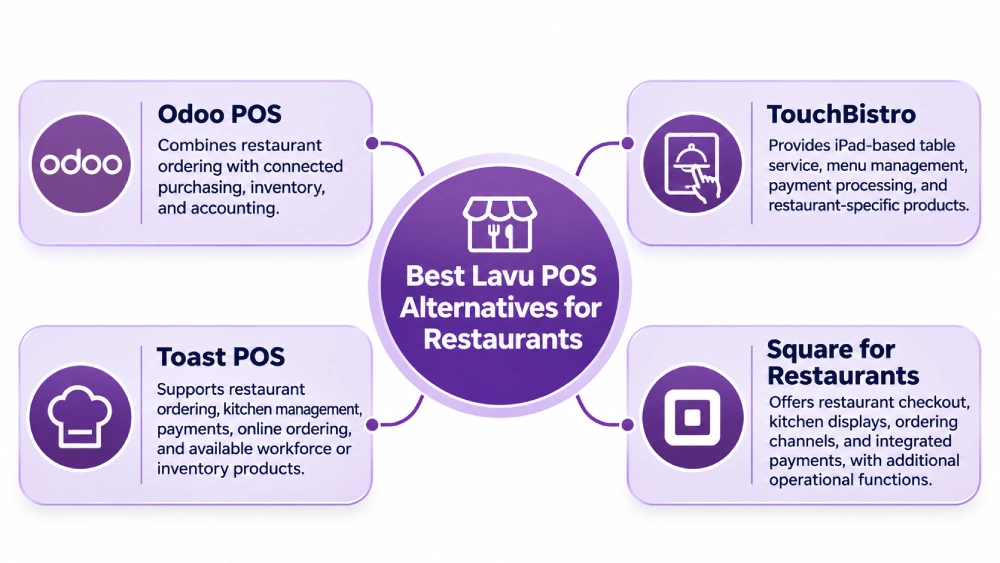
1. Odoo POS
Odoo POS combines restaurant ordering with connected purchasing, inventory, and accounting applications. Specialized modifiers and recipe-level ingredient consumption require the appropriate configuration.
2. TouchBistro
TouchBistro provides iPad-based table service, menu management, payment processing, and restaurant-specific products.
3. Toast POS
Toast POS supports restaurant ordering, kitchen management, payments, online ordering, and available workforce or inventory products.
4. Square for Restaurants
Square for Restaurants offers restaurant checkout, kitchen displays, ordering channels, and integrated payments, with additional operational functions through its products and integrations.
How to Migrate From Lavu POS to Odoo
Lavu records can sit across the POS Control Panel, Inventory, MenuDrive, gift and loyalty programs, payment services, and other connected applications. Exports from one area do not automatically provide a complete copy of the others.
1. Audit Locations, Menus, and Contracts
Identify each Lavu location, Control Panel account, iPad, payment reader, kitchen screen, printer, and enabled integration.
Record menu groups, categories, forced and optional modifiers, detours, combos, revenue centers, location-specific prices, and any MLMM primary-location relationships. Review card processing, device ownership, online ordering, payroll services, and outstanding customer obligations.
2. Extract Menus Without Confusing MenuDrive With POS
Lavu’s MenuDrive menu export produces a CSV for a MenuDrive storefront menu from its Menu Builder. It should not be represented as proof of a complete native Lavu POS menu export.
When MenuDrive is linked to Lavu POS, the storefront may have imported items and options from Lavu, but it can also contain differences. Compare the two environments and obtain permitted POS configuration data using available administrative tools or approved assistance.
| Source or record | Odoo mapping requirement |
| POS menu groups, categories, items | Products and POS categories |
| Forced and optional modifiers | Required selections and optional add-ons |
| Modifier detours and groups | Conditional choices and nested requirements |
| Combos and happy hours | Grouped products, promotions, prices |
| MenuDrive CSV, if used | Online storefront items and channel differences |
| Kitchen printers and modifiers | Preparation station assignments |
| MLMM settings and revenue centers | Location pricing, taxes, sales reporting |
Lavu’s first MLMM Full Sync replaces the destination location’s menu. For linked MenuDrive accounts, Lavu’s MLMM guide also warns that reimporting the menu after a full sync removes MenuDrive images, which must be added again. Preserve location-specific options, item sequence, image files, and storefront details before synchronization.
3. Export Ingredients, Then Validate Recipe Links
Lavu supports a separate Inventory CSV export. In the Inventory Manage area, select the appropriate ingredient records and choose Action Menu → Export.
The Inventory Manage view displays details such as units, vendors, categories, storage locations, costs, and related menu items. The CSV export documentation does not guarantee that all these fields appear in the downloaded file. Inspect its actual columns, and verify ingredient-to-menu-item links and serving quantities separately.
Prepare opening stock from verified physical counts. Map supplier and recipe units carefully, and establish the Odoo consumption workflow before activating ingredient-level tracking.
4. Export Reports and Reconcile Customer Obligations
Lavu’s report-export guidance describes CSV exports across reporting versions. Relevant records include Sales by Item, Sales by Category, Summary, End of Day, cash management, timecards, and the General Ledger report.
The Modifier Usage report records forced and optional modifier sales activity. It does not establish a complete export of menu modifier definitions or their assignments.
Reconcile cash, card settlements, tips, taxes, refunds, gift cards, and customer deposits. Gift and loyalty balances may need to be reviewed individually through the Lavu card-management tools or another authorized export process.
Historical Lavu orders are not automatically native Odoo POS sessions. Preserve accessible transaction records and establish appropriate opening accounting balances.
5. Configure and Test Odoo Operations
Configure products, modifiers, floor plans, courses, kitchen printers, payment methods, taxes, employee permissions, and supported ordering integrations.
A structured Odoo implementation should also configure supplier purchasing, warehouse transfers, vendor bills, accounting journals, and any required ingredient-consumption workflow.
Test a burger with a nested dressing detour, a sold-out modifier, and a split payment. Verify kitchen routing, charge amounts, settlement, and inventory effects before repeating the test at other locations.
6. Cut Over and Reconcile Each Location
Validate final Lavu reports, open orders, gift balances, stock quantities, pending processing batches, and active delivery orders. Identify which system owns each transaction during any parallel-operation period.
Train servers and managers, test offline recovery, confirm day-end reports, and retain historical Lavu records according to legal and contractual requirements. Expand by location only after representative menus and service workflows have been tested.
How Adatasol Helps Restaurants Move From Lavu to Odoo
Lavu migrations involve forced modifiers, conditional detours, MenuDrive storefronts, inventory recipes, chained-location menus, payment devices, and historical financial records. Adatasol can assess which workflows standard Odoo supports and identify where configuration, an approved integration, or targeted development is necessary. That assessment includes modifier mapping, MenuDrive synchronization risks, ingredient balances, and payment-terminal requirements.
Through Odoo consulting and Odoo migration services, Adatasol can coordinate source-data review, stock and accounting reconciliation, configuration, service testing, employee training, and phased location cutovers. The objective is a working restaurant POS connected to the purchasing and financial processes the business needs.
Wrapping Up
Lavu provides iPad restaurant ordering, kitchen management, ingredient inventory, and multi-location tools, with additional AI offerings under Marty. Odoo POS offers a broader ERP foundation for restaurants seeking connected purchasing, warehouse operations, accounting, and other business functions.
Adatasol can map the current Lavu setup to an Odoo implementation that preserves service requirements while improving the management of operational and financial records. Schedule an Odoo consultation to evaluate the transition.

